 NexCheck-筛号平台
Suppose you just received a list of 30,000 customer records, mixing numbers from Indonesia, Malaysia, and Vietnam. Some have +62, some start with 08, and some are duplicate records of the same person from different tables. The business team wants to know: how many of these numbers have Telegram accounts, and among those, how many have been active recently.
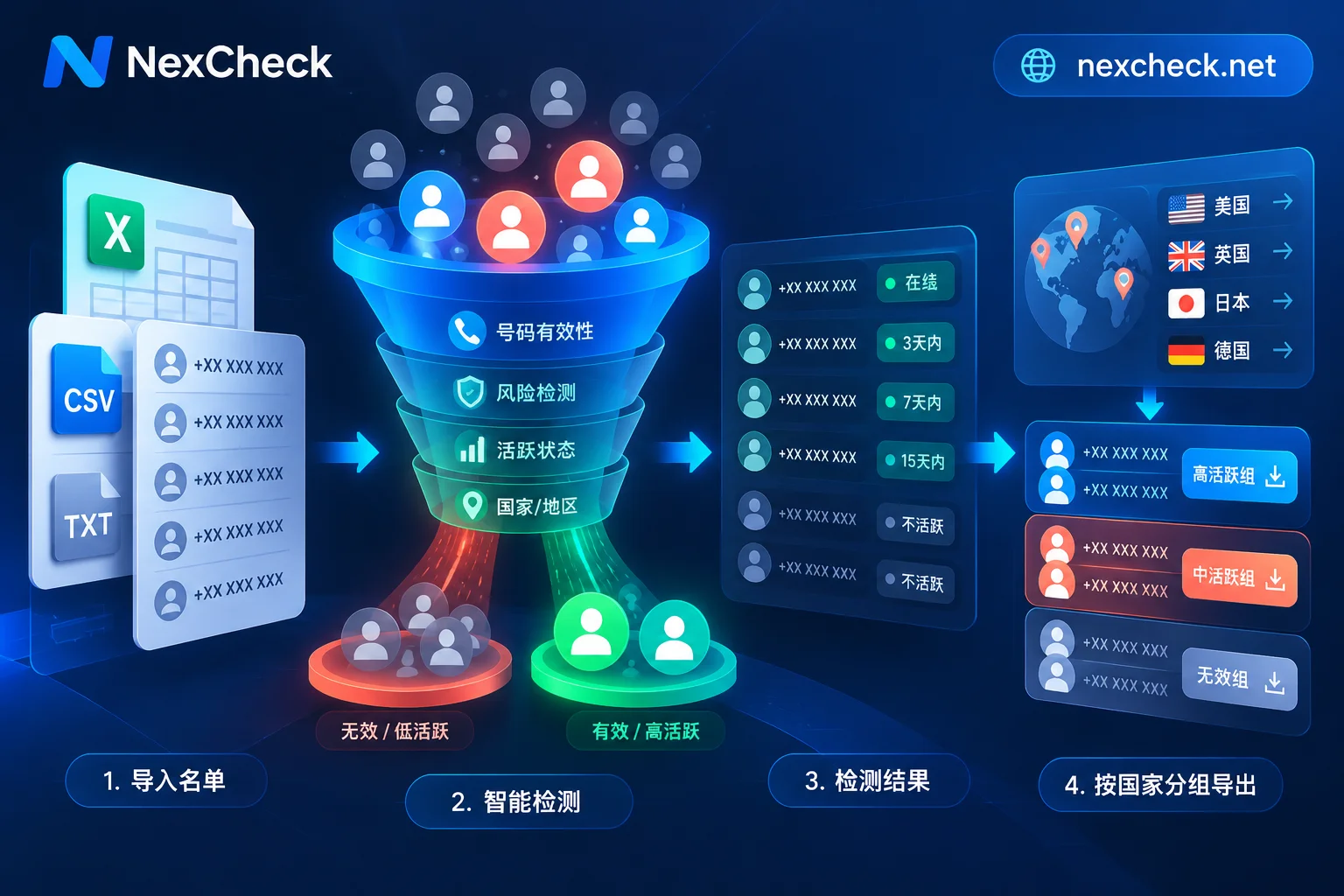
A Telegram number screening platform handles exactly this: it checks each number in your list one by one, returns whether it has a Telegram account and its activity status, and then groups and exports the results as valid or invalid. The order matters. First clean the format, deduplicate, and split by country; then choose detection items; after getting results, write back to CRM by field. If the first step isn't done well, the later data is prone to errors, and costs are wasted on rows that should have been deleted.
First, understand what the platform can and cannot check
Telegram accounts are tied to phone numbers, so you can use a number to determine account status. However, Telegram gives users granular privacy settings, one of which is "Who can find me by my number." Users can set it to contacts only. This means:
- If a number doesn't return a Telegram account, it doesn't necessarily mean the person hasn't registered; it could also be that they've turned off number visibility.
- The "invalid" group contains both truly unregistered numbers and privacy-restricted numbers. Detection results alone cannot fully separate them.
Accept this boundary when reading results. Legitimate screening platforms will not and should not bypass users' privacy settings for you. Tools claiming to break through privacy settings should be avoided.
Before submission: three cleaning steps
This step determines whether detection costs will be spent on invalid rows.
1. Normalize to E.164 format. Telegram identifies users by full numbers with international country codes. Each number should be formatted as +国家代码+本地号码: remove local leading 0s, spaces, hyphens, and parentheses, and add the country code. For example, an Indonesian number 0812-3456-7890 should be changed to +6281234567890. Incorrectly formatted numbers may fail to parse or may be treated as numbers from another country, causing misjudgment. For specific formatting and special cases by country, refer to this number format normalization order. Although the article uses WhatsApp as an example, E.164 rules apply equally to Telegram.
2. Deduplicate by normalized number. Deduplication must come after format normalization. +6281234567890 and 081234567890 are two rows in the original table, but after normalization, they can be seen as the same number. If you deduplicate before normalizing, such duplicates will be missed, and the same number will be charged twice.
3. Split multi-country lists by country. After splitting, format validation is easier for each batch. After results come out, you can also directly compare registration and activity rates by market. If you're unsure about number length rules for a country, check regional number format guides first.
How to choose detection items
Common detection items for Telegram screening can be divided into three layers, combined as needed:
| Detection layer | Question answered | Suitable scenario |
|---|---|---|
| Registration check | Does this number have a Telegram account (within visibility)? | Determine the coverage of your list on Telegram |
| Activity tier | Has the registered account been used recently? | Tag CRM with activity levels and prioritize |
| Basic number check | Is the number itself empty, device type, high risk? | First remove bad numbers to reduce subsequent detection costs |
If the list comes from mixed sources and is old, you can first do a basic check to remove empty numbers, then run Telegram checks on the rest. If the list is relatively new and high quality, you can directly run registration plus activity checks. Profile attributes like gender and age vary greatly across platforms. For which fields are available on Telegram, refer to what the platform page currently lists—don't assume you can definitely get them.
How to read results
Valid and invalid groups
- Valid: A corresponding Telegram account was found within visibility.
- Invalid: Not found. It could be unregistered, or privacy settings limit number lookup, or the number format is wrong.
When writing back to CRM, it's advisable not to directly delete "invalid" rows; mark them as "Telegram not detected" and keep the original number and detection date. This way, you have a record for future re-checks or verification through other channels.
Activity tiers
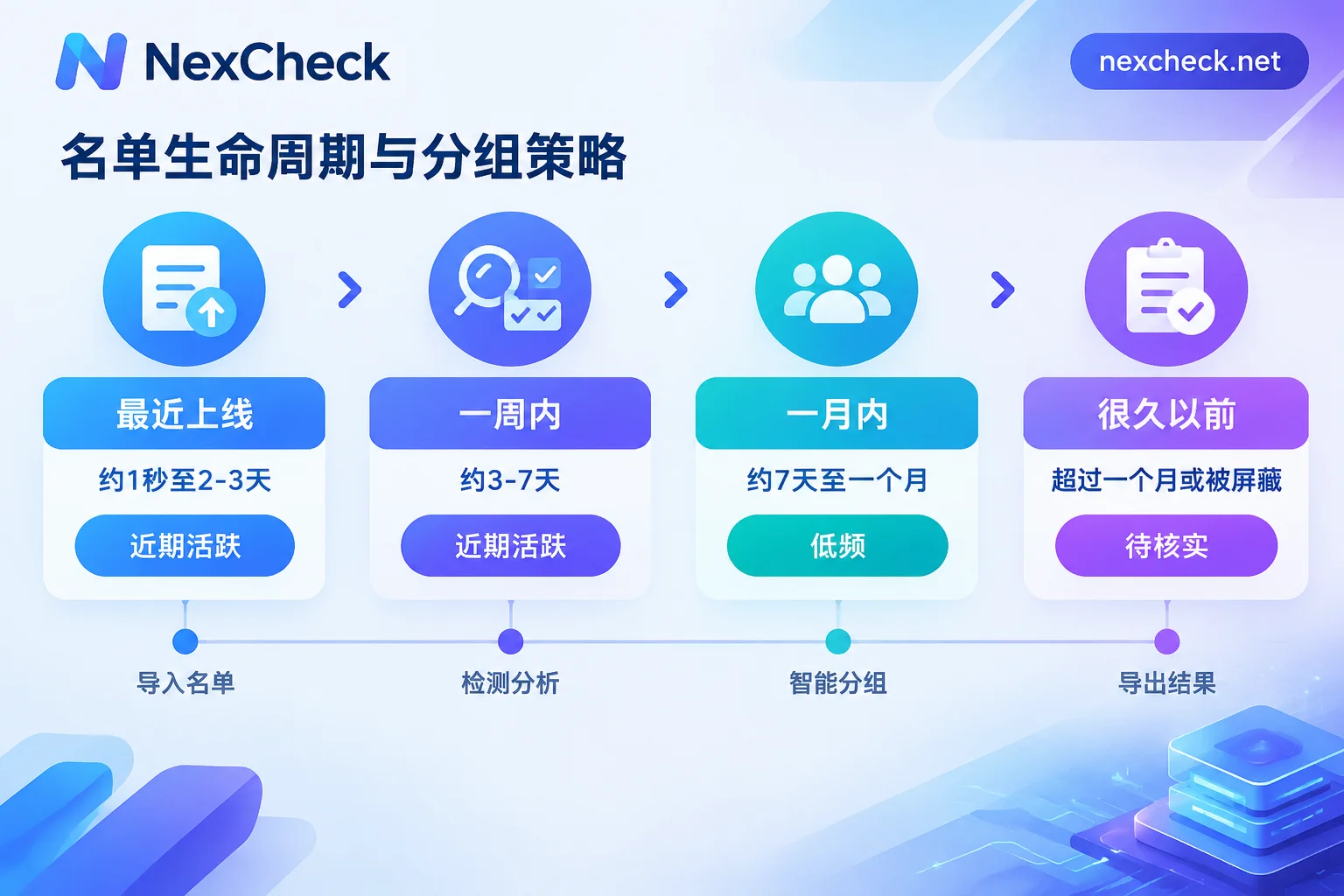
When users hide their exact last seen time, Telegram officially shows last seen time using four approximate tiers. Understanding these four tiers helps interpret the activity field in detection results (specific return value names depend on the platform page):
- Last seen recently: Approximately 1 second to 2–3 days.
- Last seen within a week: About 3 to 7 days.
- Last seen within a month: About 7 days to one month.
- Last seen a long time ago: More than one month, or possibly the person has blocked you. It doesn't necessarily mean the account is abandoned.
These tiers are ranges, not exact times. They are suitable for tiered labels, not precise sorting. A common practice is to categorize the first two tiers as "recently active", the third as "low frequency", and the fourth as "to be verified" in CRM.
Web console or API
- One-time or irregular lists: Upload txt or csv via the console, run the check, and download grouped results. This is the easiest.
- Lists continuously entering CRM (e.g., daily new leads): Use the REST API to submit, and receive results via Webhook. The system can automatically complete "new number entry → detection → write back status field". Detection is asynchronous, so when integrating, reserve task status; don't let business processes wait synchronously for results.
When writing back, it's recommended to save at least these items per record: normalized number, detection platform, registration status, activity tier, detection time. Activity status changes; having the detection time helps determine if the data needs re-checking.
Check these when choosing a platform
When comparing different Telegram screening platforms, you can look at each item:
- Are detection items clearly stated: Are registration, activity tier, and basic check available separately, and are field meanings explained?
- Are results exported in groups: Can valid and invalid be downloaded separately for easy write-back?
- Integration method: Can large batches be submitted at once, and are API and Webhook provided?
- Billing method: Is pricing per record, and are unit prices for different detection items public?
- Data processing scope: Is the list processed only within the task scope, and does the platform state data usage?
For example, with NexCheck, lists can be uploaded via console as txt/csv with no batch limit, or submitted via REST API with Webhook pushback. Results are returned grouped as valid and invalid, and pricing is per record. Detection items and unit prices may change; for what Telegram fields are currently available and pricing, refer to the Telegram platform page.
Compliance boundaries
- The list is your own data, and its source and purpose must be legal. For lists of unknown origin, stop before detection.
- Screening only addresses data quality: which numbers are valid and recently active. How to contact customers afterward belongs to a different process and rules.
- Do not build scripts to bulk probe numbers, and do not attempt to bypass users' privacy settings. This poses compliance risks and may lead to account restrictions.
In summary, the processing order: normalize to E.164 → deduplicate by normalized number → split batches by country → choose detection items → read groups and activity tiers → write back to CRM with detection time. If you want to see details about online status beyond format cleaning, you can read Telegram screening cleaning order and privacy boundaries. After organizing your list, you can check detection items on the Telegram platform page and start your first batch.



Comments(0)