 NexCheck-筛号平台
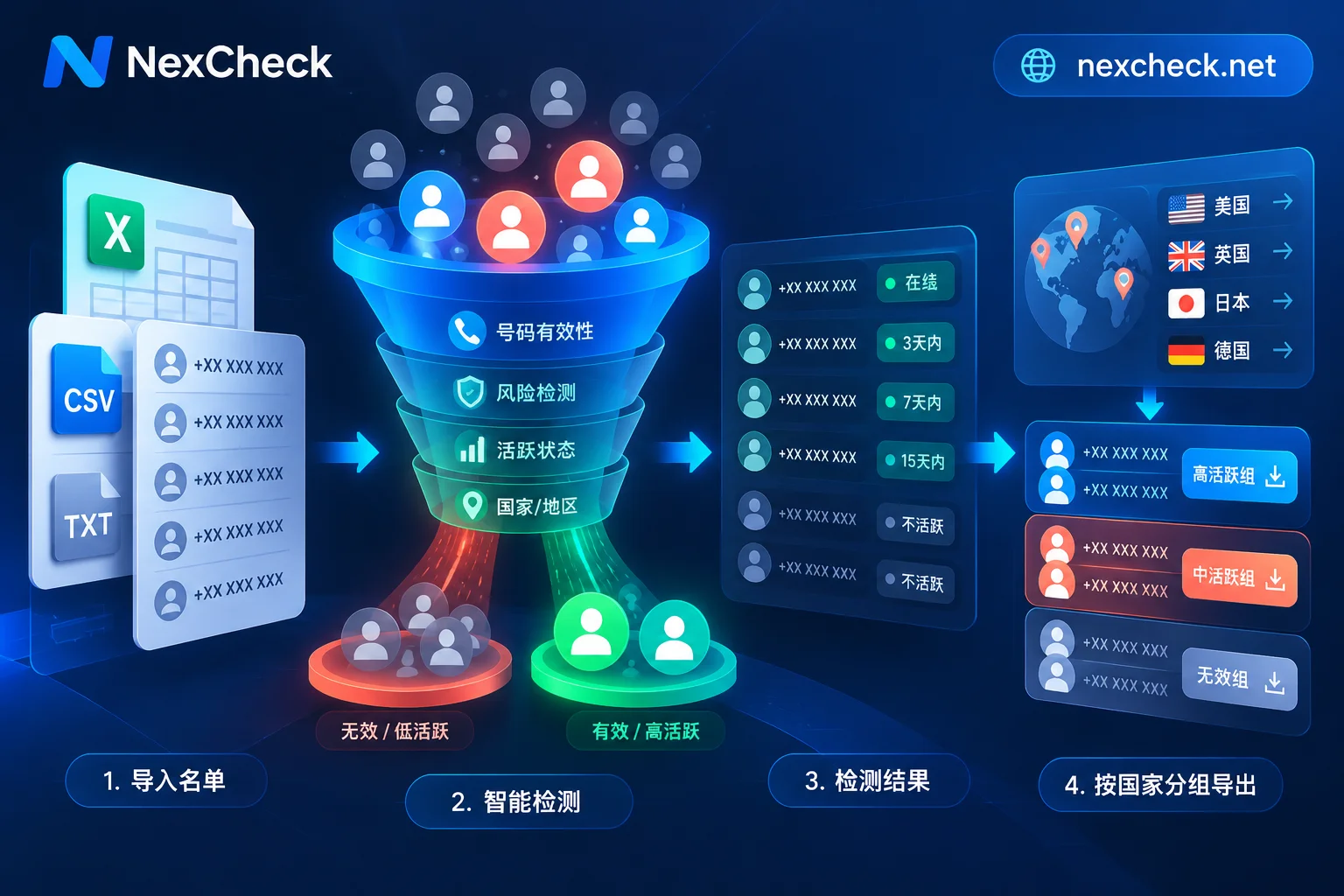
How to Run Phone Number Activity Checks: From New Delivery Threshold Rules to Cross-Platform Activity Tiering Screening
Why does a list that has already been screened for registrations still have low open rates and even drag down sender quality ratings? This article explains the essential difference between "number registered" and "number active" in light of recent dynamic delivery threshold mechanisms on messaging platforms, and breaks down the activity detection dimensions and tiered execution workflow for WhatsApp, Telegram, LINE, Zalo, and Viber.
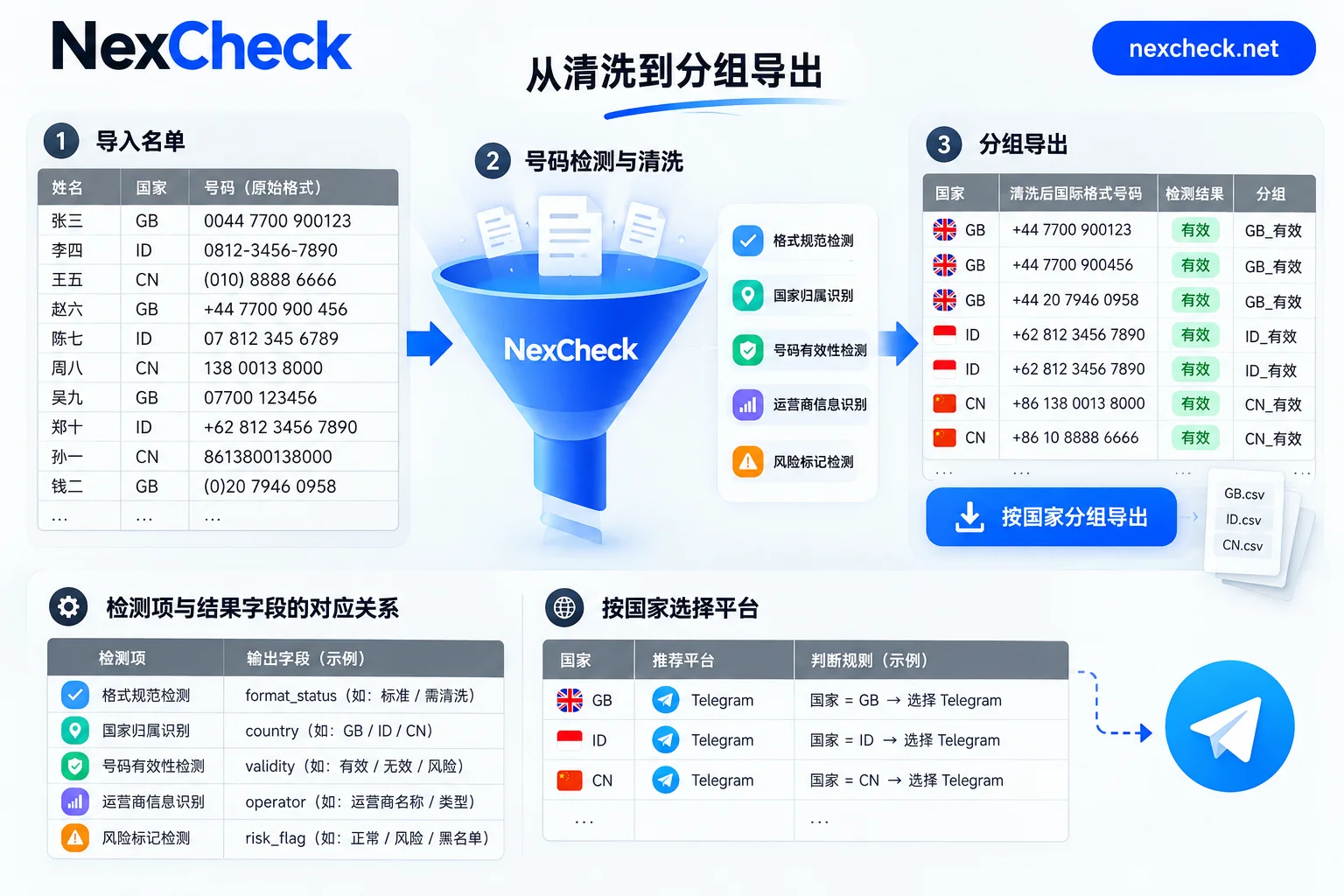
How to Write Telegram Phone Number Format: E.164 International Format, Leading Zero Handling, and Multi-Country List Organization Order
Telegram identifies numbers in E.164 international format: country code plus the number with domestic prefixes removed, digits only. This article provides the order for organizing multi-country contact lists, including separators, 00/011 prefixes, leading zeros, Excel digit loss, deduplication, and grouping by country, and lists numbers that still need separate handling even after correct formatting.

How to Choose a Telegram Number Screening Tool: Fields, Privacy Boundaries, Integration Methods, and Billing
When evaluating a Telegram number screening tool, check which fields it returns, how activity is represented, whether it distinguishes 'not found' from 'not registered,' if it requires mounting your account, and whether its web console, API, and billing suit your workflow; then test with a small batch.
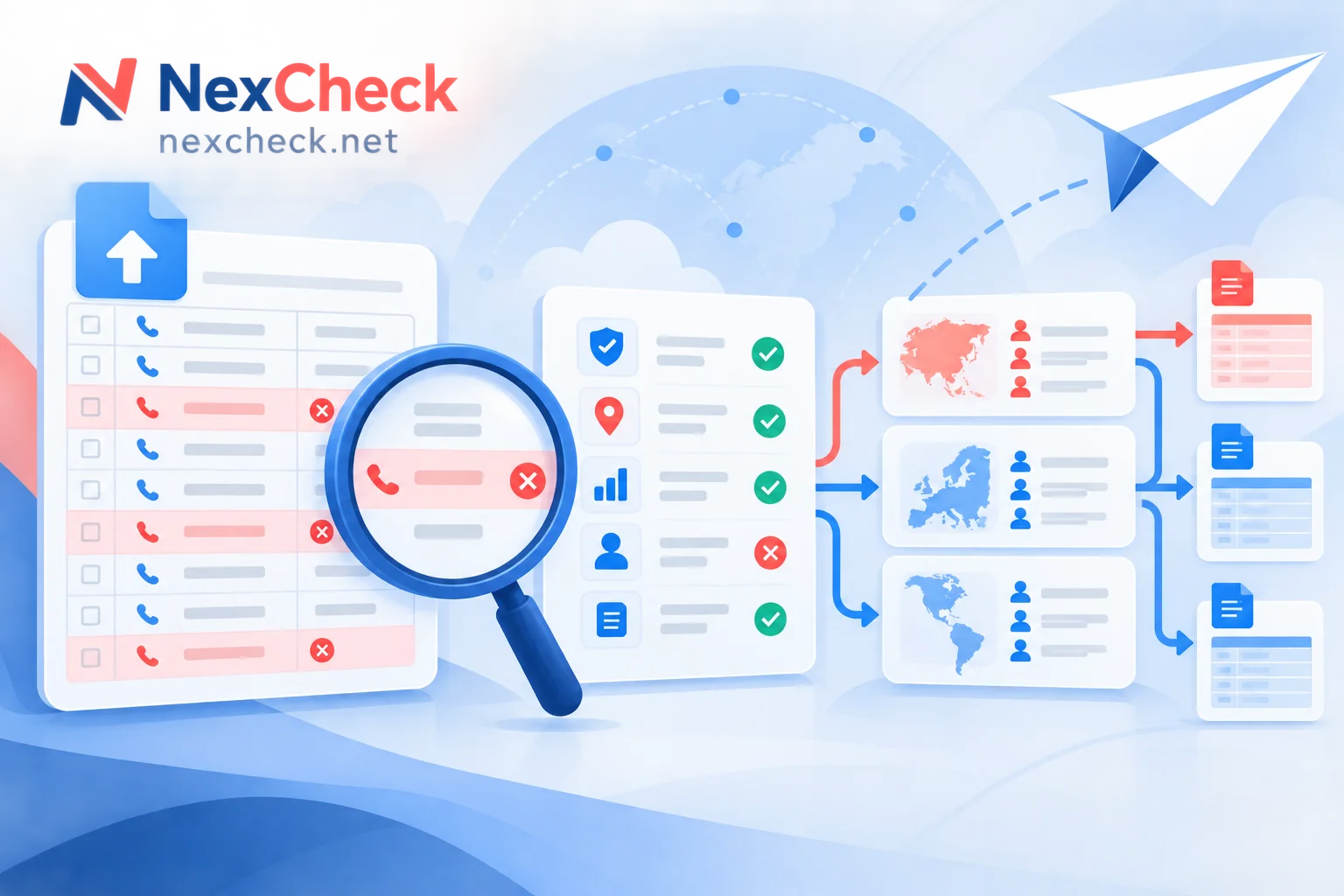
Telegram Number Screening Failures: Troubleshooting Order for Format, Privacy, Bans, and Rate Limits
When Telegram number screening produces many format errors, unmatched results, or interrupted tasks, troubleshoot in four areas: number format, user privacy settings, banned or deleted accounts, and rate limits. This article explains how to diagnose each type of problem and why "unmatched" should not be treated as grounds for deleting records when writing results back to CRM.
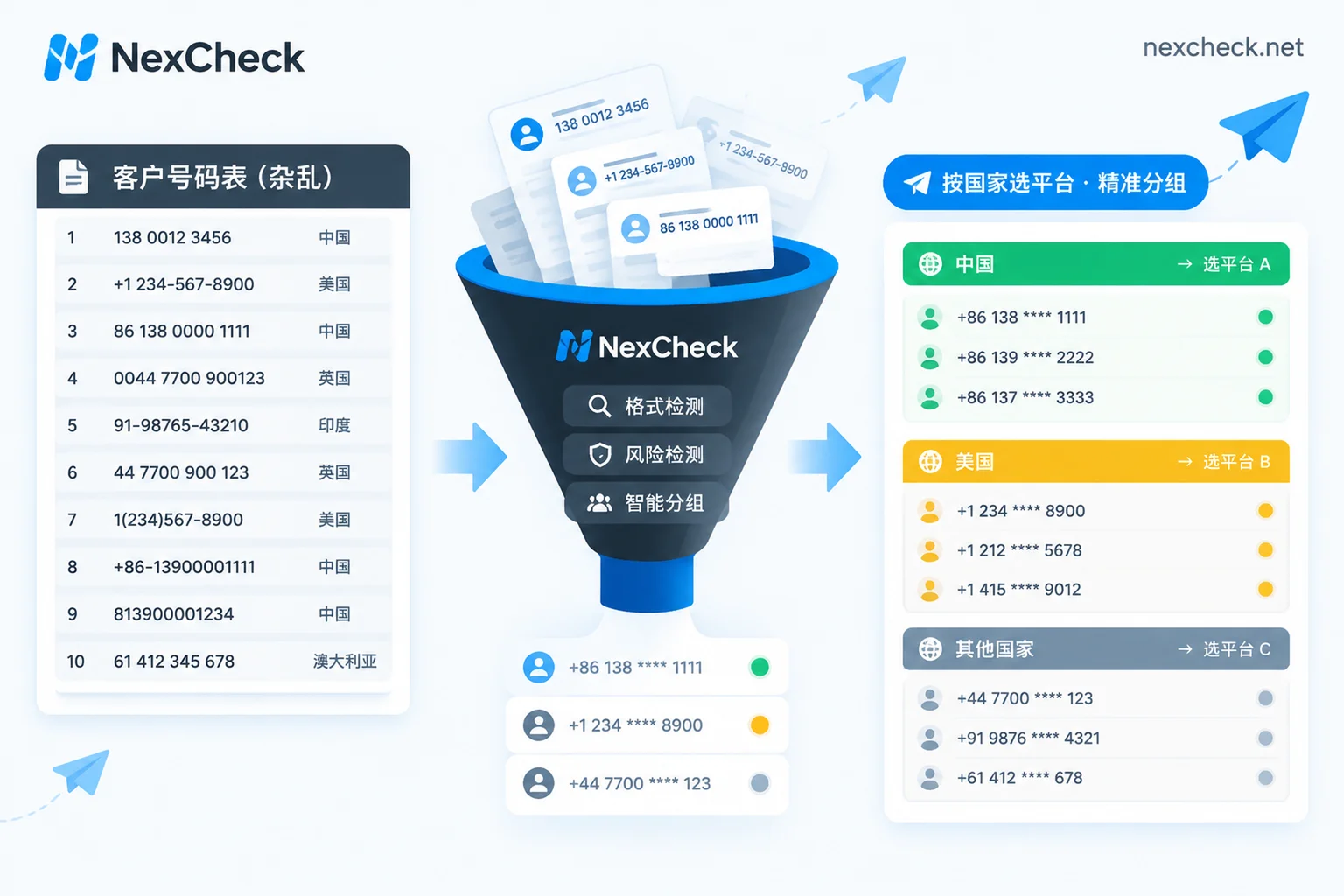
How to Clean a Telegram Customer List: Formatting, Activation Checks, Activity Tiers, and CRM Write-Back
Using a mixed-country customer list as an example, this article explains the sequence for cleaning a Telegram customer list: first unify numbers to E.164 and deduplicate, then split by country, run basic number checks and Telegram activation checks, and finally segment by Last seen ranges and write results back to CRM. It also clarifies why "not found" does not mean unregistered and how to interpret results like "a long time ago."

