NexCheck-筛号平台
Whether a number is a WhatsApp Business account cannot be told from the number itself. It is not a range feature or a carrier attribute, but the account form chosen when the number is registered on the WhatsApp network. Therefore there is only one path to determine it: first confirm that the number is registered on WhatsApp, then read the business identifier field of that account.
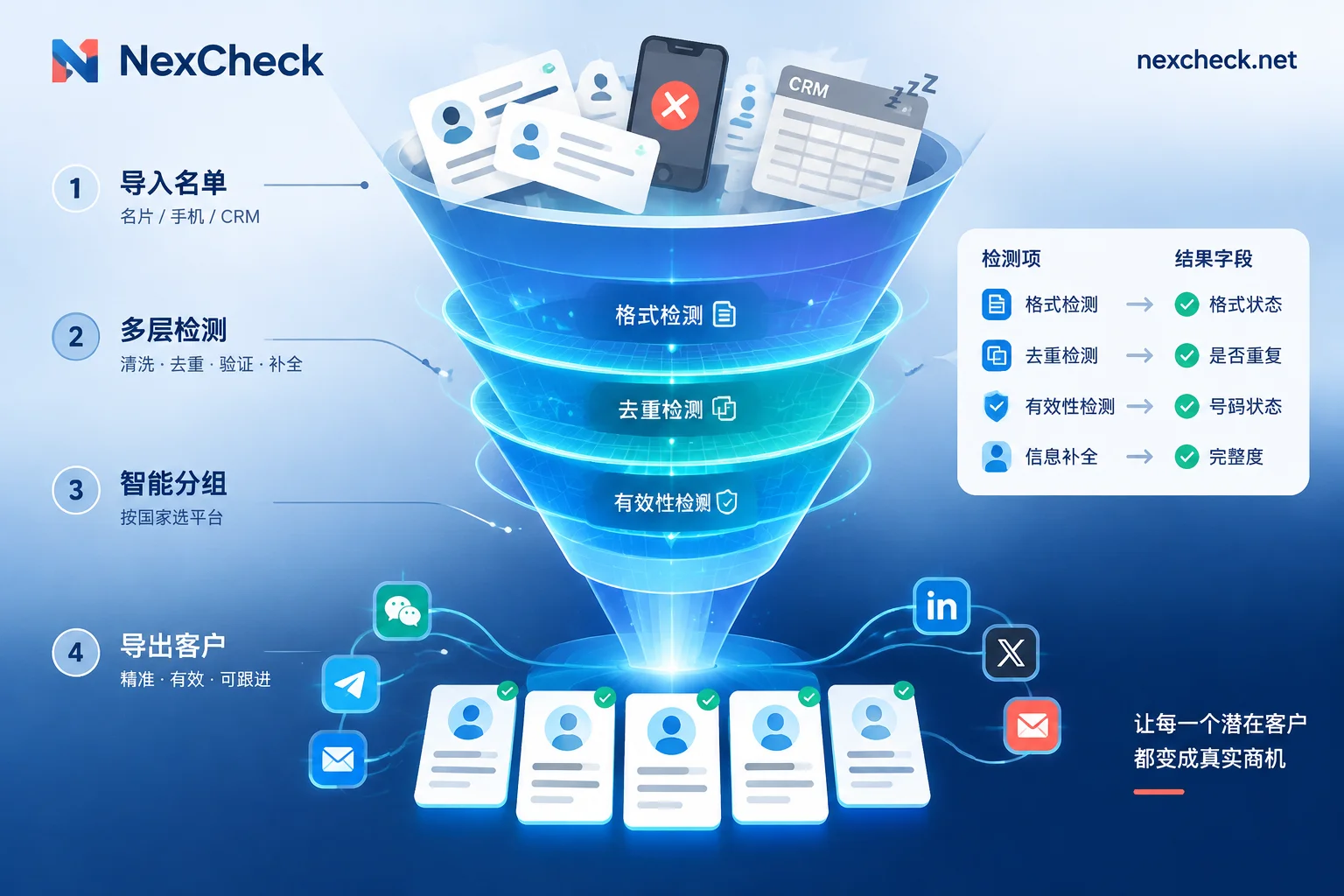
This determines the processing order—list cleaning → submit for verification → read registration status → read business identifier → group and write back. Skip any of these steps and the later fields will be distorted or largely missing.
First distinguish four account forms
When operations colleagues say "business account," they often do not mean the same thing. WhatsApp's account system has clear levels at the platform level:
Personal account. Registered by an ordinary user, with only a nickname, profile photo, and one status line—no business metadata.
WhatsApp Business App account. Small and micro merchants register with the standalone Business app; they can fill in business hours, address, description, and product catalog. These accounts carry a business identifier in verification.
WhatsApp Business Platform (API) account. Enterprises connect through the official API, usually managed by a provider or a self-built system, and also carry business attributes.
Official Business Account. On top of the above business accounts, this has passed Meta's brand verification and has an official badge. It is a subset of business accounts, not a parallel type.
For list screening, the most practical split is two layers: Is it a business account (corresponding to a boolean field such as is_business), and Is it a verified official account. The former separates B2B contacts from consumer individuals; the latter tells whether the other party is a brand with a certain scale or a small merchant.
This distinction has real value. For example, when cleaning B2B leads, business accounts in the list often correspond to merchants actually operating, and can be separated from personal accounts for different follow-up processes; for cross-border supply chain lists, the proportion of business accounts can also inversely verify the source quality of the data.
List cleaning: three things that must be done before submission
When a large number of "not registered" results appear, more than half the time it is not that the numbers are truly not activated, but that the submitted format cannot be matched by the system. Clean up these three things before submission:
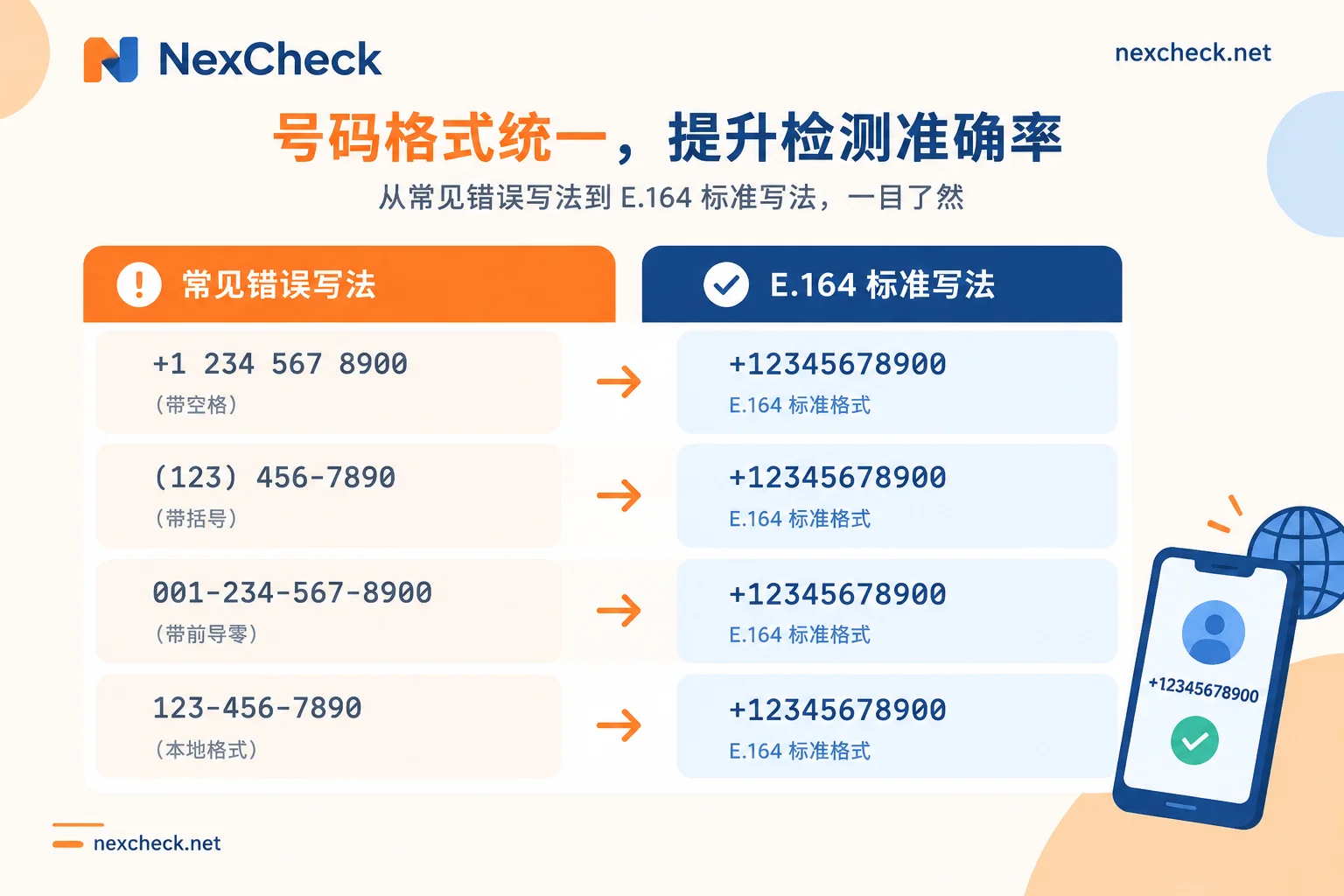
First, normalize to E.164. Remove spaces, dashes, parentheses, and all symbols except the plus sign, and add the country code. This is the only format that works across countries.
Second, handle local dialing prefixes. Many countries' local formats include a leading 0 (such as UK 07xxx, Germany 015x); when converting to international format, this 0 must be removed. A few countries have more special rules—Argentine mobile numbers carry a 9 after the country code, and Mexico historically had a 1 format that has changed. If these are processed by general rules, there will be widespread mismatches. For specific rules, refer to the country list in WhatsApp E.164 Format Conversion Rules.
Third, deduplicate. The same person may have two records in CRM: one in local format with 0 and one in international format with country code. Only after cleaning to E.164 can they be truly identified as duplicates. Deduplication must be done after format unification; reversing the order will miss a batch.
For mixed multi-country lists, it is recommended to group by country code first. This makes it convenient to separately validate number length and range legality for each country, and because activation rates and business account proportions vary greatly by market, running them separately makes it easier to see which batch has problems. For number lengths and common formats by country, see the Regional Number Format Page.
How to read the returned fields
After submission, the verification result for one number usually contains the following types of information. Field names differ by platform, but the meanings are broadly the same:
Registration status. Whether this number has an active account on the WhatsApp network. This is the prerequisite for all other fields—if it is false here, the later business identifier and status text will have no value.
Business identifier (is_business). Boolean value. True means the account is a business account registered through the Business App or Business Platform. This is the core field this article is looking for.
Verified identifier. Distinguishes ordinary business accounts from Official Business Accounts. In lists, this type usually accounts for a small proportion, but it is often the most valuable batch.
Public status text. Personal accounts have a status line; business accounts may have a business description. Content indicates the account is actually in use; being empty cannot directly determine that it is abandoned, because the user may never have set it.
Profile photo visibility. Having a profile photo URL or a profile photo existence marker is an auxiliary signal of account activity, but it is also not a hard indicator—privacy settings can turn it off.
Account availability status. Whether it is banned, restricted, or in another abnormal state. Banned numbers, even if shown as registered, have no meaning for subsequent business and should be classified as invalid together with unregistered ones.
There is one principle for reading these fields: registration status is a hard conclusion; the rest are probabilistic signals. A business account with no status text and no profile photo does not mean it is inactive; it only means that this information is not visible externally. Treating auxiliary fields as hard filter conditions will mistakenly kill a batch of genuinely valid contacts.
For more interpretation ideas on fields, refer to the WhatsApp Number Validity Verification Field Interpretation section.
How to group results
After getting results, three groups by business use are usually enough:
Group A: Business accounts. Registration status true and business identifier true. If needed, separate verified accounts from this group for individual marking. This group corresponds to the clearest target for B2B scenarios.
Group B: Personal accounts. Registration status true and business identifier false. The main list for consumer scenarios.
Group C: Invalid. All unregistered, banned, and unparsable formats go here. Failures caused by format issues are best marked separately, because this batch can be repaired and rerun, and is completely different in nature from true non-registration.
When exporting groups, note to keep the original number column. CRM write-back relies on this column for matching; exporting only the cleaned E.164 will make reconciliation cumbersome.
In practice, NexCheck works by uploading txt or csv on the console, charging per item, and packaging results for download grouped by valid and invalid; the WhatsApp platform page lists the currently supported verification items, and because items and unit prices adjust with protocol-layer capabilities, the page should be taken as authoritative. If the list also contains many numbers of unknown origin, you can first run a basic number check (empty numbers, device type, high-risk numbers) to filter out obviously invalid ones before entering platform verification, so that the per-item billing portion is not wasted on numbers that are bound to fail.
Web page or API
The criterion is simple: is this a one-time thing or an ongoing one.
For one-time cleaning of historical lists or a monthly inventory check, uploading on the console is enough. Upload, wait for results, download grouped files—no development involvement needed.
If verification needs to be embedded in business processes—automatically determining whether a new lead is a business account when it enters CRM, running a daily incremental batch, and having verification results drive subsequent assignment rules—then use the REST API. A typical integration is an asynchronous task: submit the list and get a task ID, receive a push via Webhook when the task completes, then write fields such as is_business back to custom attributes on the contact record.
Why prefer Webhook over polling? Batch verification completion time depends on list size; polling either wastes requests if the interval is too short, or introduces unnecessary delay if the interval is too long. Polling is more suitable only when the task volume is very small, or when your system cannot easily expose a callback address externally. For the trade-off between these two methods, see Polling or Webhook Callback for Number Verification; the specific integration steps are detailed in WhatsApp Number Screening API Integration Plan.
When writing back, it is recommended to create at least three fields in CRM: account type (business/personal/none), verification time, and last verification result. The second field is especially important—number status changes, and a result from a year ago cannot be treated as current fact. With a timestamp, you know when to rerun.
Some fields are unavailable—this is a boundary, not a failure
What verification can read is the portion of account status publicly exposed on the WhatsApp network. User privacy settings directly affect visibility: profile photos can be set to contacts only, last seen can be completely hidden, and status text can be set to private. In these cases, returning empty values is normal, does not mean the account has a problem, and should not be interpreted as verification failure.
Whether some deeper information on business accounts—such as the full product catalog or business category—can be extracted in bulk depends on how far the underlying protocol currently supports it, and capabilities vary over time. If you need such fields, directly check the current verification item list published on the platform page, and do not assume based on another platform's field table.
Two bottom lines should also be made clear: the list must be legally owned by the business party, and the compliance of source and purpose is the responsibility of the data holder; verification itself only addresses data quality issues—which numbers are valid, what type they belong to, and which group they should be assigned to—and does not involve any outreach actions. These two things are separate in process and separate in responsibility.
Running a list from start to finish
Putting the above into an executable order:
- Export the list, keeping the original number column and unique ID
- Clean to E.164: remove symbols, remove leading zeros, add country code, and note special rules for Argentina, Mexico, etc.
- Group by country code and separately validate number length legality
- Deduplicate, recording the mapping between duplicates and master records
- Optional: first run basic number check to filter out empty and high-risk numbers
- Submit to WhatsApp platform verification (console upload or API)
- Read results: first registration status, then business identifier and verified identifier
- Export into three groups: business / personal / invalid, with format errors marked separately
- Write back to CRM with verification timestamp
- Repair the format-error batch and rerun once
Step 10 is often skipped. Numbers in a batch that mismatched due to format issues can usually recover some valid contacts after repair and rerun, at a cost far lower than reacquiring customers.
To start running your own list, you can confirm the currently supported verification items on the WhatsApp Platform Page, or compare field differences across platforms in What Each Platform Can Check—the same list can yield different attributes on different platforms, so check clearly before deciding which to run.