 NexCheck-筛号平台
In the Philippines, Myanmar, and other Southeast Asian markets, as well as in Eastern Europe and the Balkans—including Ukraine, Greece, Moldova, and Serbia—Rakuten Viber often has extremely high penetration, sometimes even serving as the default tool for notifications and business communication.
However, many operations and marketing teams new to these regions, after obtaining a batch of local customer or prospect phone numbers, are accustomed to directly applying WhatsApp or Telegram's bulk messaging and filtering logic. As a result, they not only encounter high invalid call costs and failure rates on Viber Business Messages but also often purchase the wrong detection items due to misunderstanding the filtering fields.
To turn the raw list at hand into truly reachable and worthwhile Viber assets, the key is to understand what Viber can filter, what the fields mean, and in what order to filter to save the most budget.
1. Why must you filter numbers before sending Viber messages?
Whether sending notifications and promotions through the official business messaging channel or following up with prospects through sales teams in private domains, raw number lists without cleaning typically have three types of issues:
- Unregistered and malformed numbers: The list contains many landlines, empty numbers, or non-standard numbers lacking country codes or with local leading
0(e.g., the local Philippine format0917xxxxxxx), which often cannot be recognized when submitted directly to international interfaces. - Long-abandoned dormant numbers: In some Eastern European and Southeast Asian markets, prepaid SIM cards circulate quickly. Many numbers may still show as "activated on Viber," but the owner stopped using them months ago.
- Newly registered short-term or abnormal accounts: Leads from campaign referrals, form submissions, or external purchases often include batch-registered fake accounts or temporary numbers. These accounts not only have extremely low conversion rates but also easily increase complaint and risk control risks in subsequent outreach.
In the NexCheck Viber number filtering page, the platform specifically addresses the above three pain points with three core capabilities: Activation Detection, Activity Range Filtering, and Account Age Filtering.
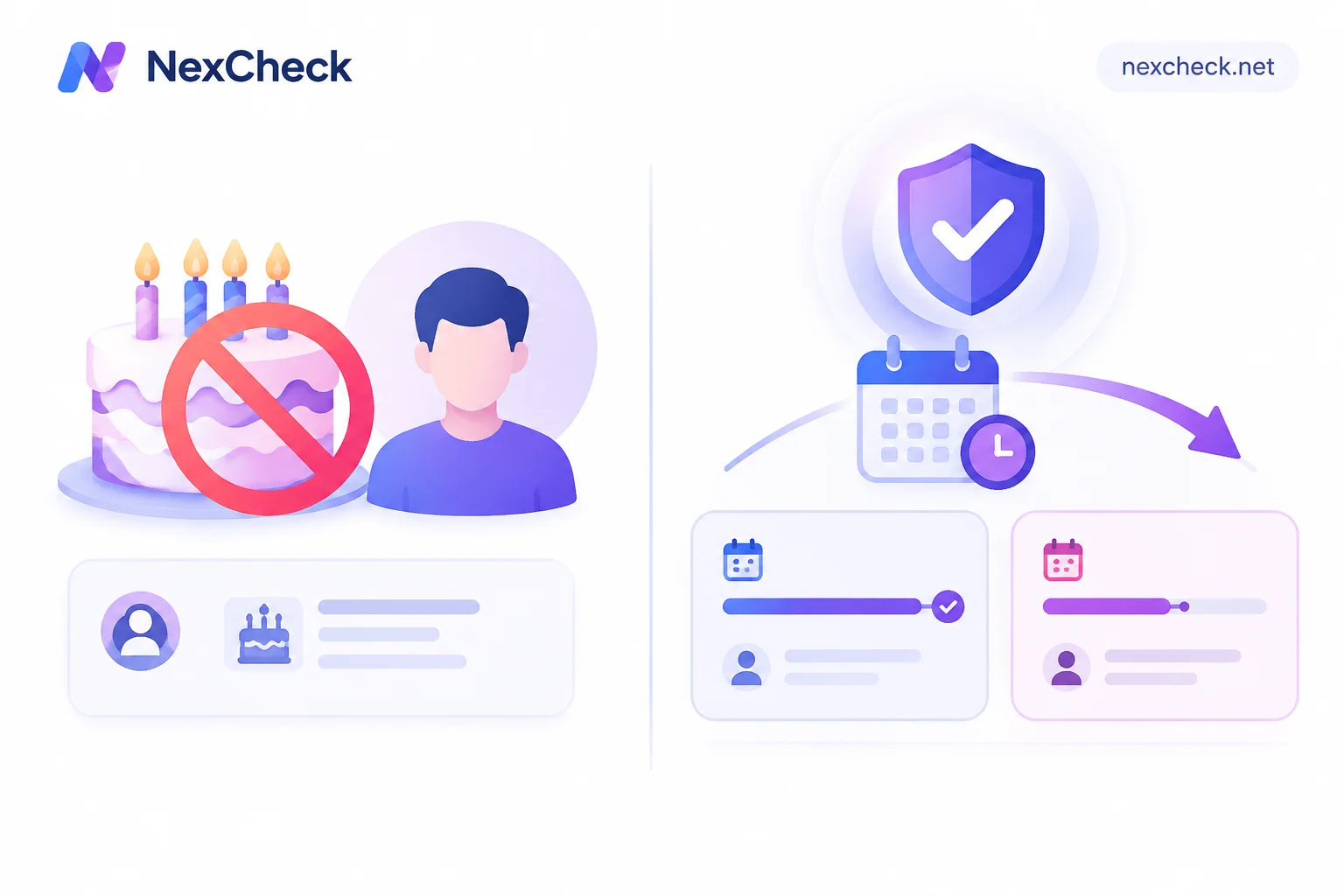
2. Core field pitfall: Viber's "Account Age" is not the user's age
When filtering numbers across platforms, many operators see the word "age" and immediately think of using it for audience segmentation by gender or age group (e.g., 25–35). But in Viber number filtering, this is a conceptual difference that must be clarified in advance:
- Viber's "Account Age": refers to how long this Viber account has been registered (registration age), not the physiological age of the number holder.
- Its real business purpose: to exclude newly registered numbers. If a lead's phone number is a Viber account registered just a few days ago, it is likely a temporary verification number, marketing fake account, or low-intent opportunistic user. Conversely, older accounts usually correspond to real local residents who have used the number stably for a long time.
If you need to understand field differences across instant messaging platforms (e.g., which platforms support inferring user gender and age range from public profiles, and which only support activation checks), you can first check the NexCheck supported platforms overview to compare detection criteria across channels. You can also refer to our previous articles on LINE number detection and result interpretation and Zalo dual-channel filtering and layered detection order.
3. Practical process: Four steps to complete Viber list cleaning and layered filtering
Since NexCheck uses a prepaid per-item billing model and does not automatically deduplicate files after upload in the console (duplicate numbers are still charged), the most reasonable approach is to follow the funnel order: "local free cleaning and deduplication → basic activation → deep filtering by activity and account age."
Step 1: Use the number cleaning tool to freely convert to E.164 and deduplicate
Before creating any paid detection task, open the NexCheck number cleaning tool in your browser. This tool runs entirely locally in the browser and does not incur paid tasks:
- Select the correct default country: Process lists separately by country. For example, select the Philippines (
+63) for Philippine lists, and Ukraine (+380) for Ukrainian lists. Be careful not to select the wrong default country, otherwise you will generate numbers with valid formats but completely incorrect attribution. - Uniformly convert to E.164 format and deduplicate: The tool automatically recognizes common separators, fills in country codes, removes extra leading zeros, merges duplicate numbers, and reports the number of valid, invalid, and duplicate entries (for more on leading zeros and E.164 standards for multi-country lists, you can also read Telegram number format and E.164 organization order).
- For multi-platform markets, first check regional realities: If you are unsure about the number length, major carriers, or which platform to filter first in the target country, you can first consult NexCheck regional solutions and plan your filtering route based on local realities.
Step 2: Submit "Viber Activation" detection to cut the unregistered base
After obtaining the cleaned and deduplicated compliant list (supports CSV, TXT, or XLSX; place numbers in the first column, one per line), log in to the console and create a task following the Quick Start Guide:
- Select Viber Activation Detection and specify the corresponding country or region.
- Note that file size, number of rows, and columns must comply with the quantity range limits of the selected project.
- The goal of this step is to use the lowest per-item cost to directly categorize and remove numbers that are not registered on Viber at all into the "invalid" group.
Step 3: Use "Continue Detection" to overlay activity range and account age
After activation detection is complete, you do not need to download the results and re-upload them. Directly click "Continue Detection" on the task results page in the console (this operation creates a new detection task based on the valid results you filtered through, and bills separately according to the new project):
- Filter activity range: For numbers already activated on Viber, further distinguish which are active numbers still used frequently recently and which are abandoned numbers that have not been online for a long time.
- Filter account age: In high-value business or anti-fraud scenarios, overlay account age detection to separate newly registered numbers and retain only old accounts with stable registration age for the main follow-up pool.
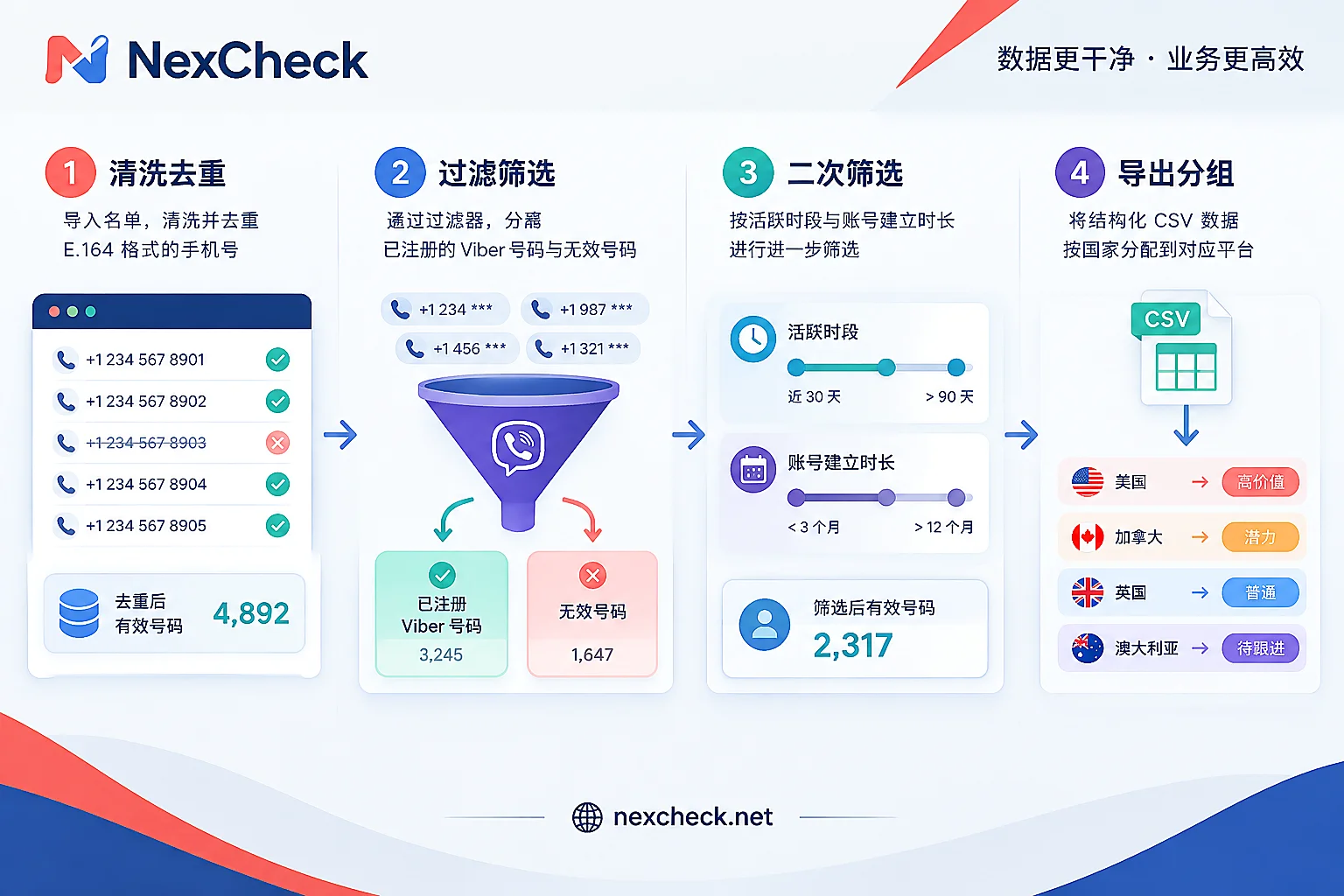
Step 4: Immediately export results and write back to CRM for layering
Detection results are returned in valid and invalid groups, and you can preview and download them directly in the console. Here are two essential data management principles:
- Export and archive promptly: The platform does not guarantee retention days for detection results. The task center cannot be used as a long-term database. Please download and save immediately after running tasks.
Write back to CRM with status tags: It is recommended to establish clear layered tags in your CRM or outbound/messaging system—
Viber已开通 + 近期活跃 + 老账龄: classify as Category A high-priority leads, prioritize assigning to manual sales follow-up or sending high-value business messages.Viber已开通 + 活跃度低/新注册号: classify as Category B/C observation pool, downgrade to low-cost outreach channels or temporarily suspend delivery.Viber未开通: directly transfer to SMS or other local mainstream social platforms (such as WhatsApp, Telegram) screening pipelines.
If your team has a large daily lead volume and wants to automatically complete the above verification when users submit forms or enter the CRM, you can also integrate with your own business systems through the platform's RESTful API (supports batch submission, real-time queries, and Webhook callbacks). Since the public user manual does not include specific API parameter documentation, teams with development integration needs can first register a NexCheck account and then consult API integration details through the official customer service Telegram (@nextipkf).
4. Clarify tool boundaries and data compliance
When incorporating Viber number filtering into daily operations SOPs, teams also need to have objective expectations about the boundaries of detection results:
- Timeliness and objective limitations: Filtering results only reflect the status of the number on the platform at the moment of query. They cannot determine the true identity, purchase intention, or commercial value of the number holder, nor can they guarantee that a single result will absolutely not change.
- Separation of responsibilities: NexCheck focuses on activation, activity, and attribute screening of lists. It does not provide bulk messaging, customer service agent outreach, account purchasing, or SMS verification services.
- Data ownership and privacy: The customer lists you upload belong entirely to you. The platform processes them only within the scope of executing detection tasks and never sells them or uses them to build number databases for external sale. You can view, export, and delete them at any time in the console (see Privacy Policy). At the same time, as the data controller, please ensure that the source and subsequent use of the submitted numbers are legal and compliant.
Ready to clean your Philippine, Ukrainian, or Eastern European customer lists? You can now visit the NexCheck Viber number filtering page to view the latest detection channels and price list, or directly register for a free trial and start your first list layering task with the official user manual.




Comments(0)