 NexCheck-筛号平台
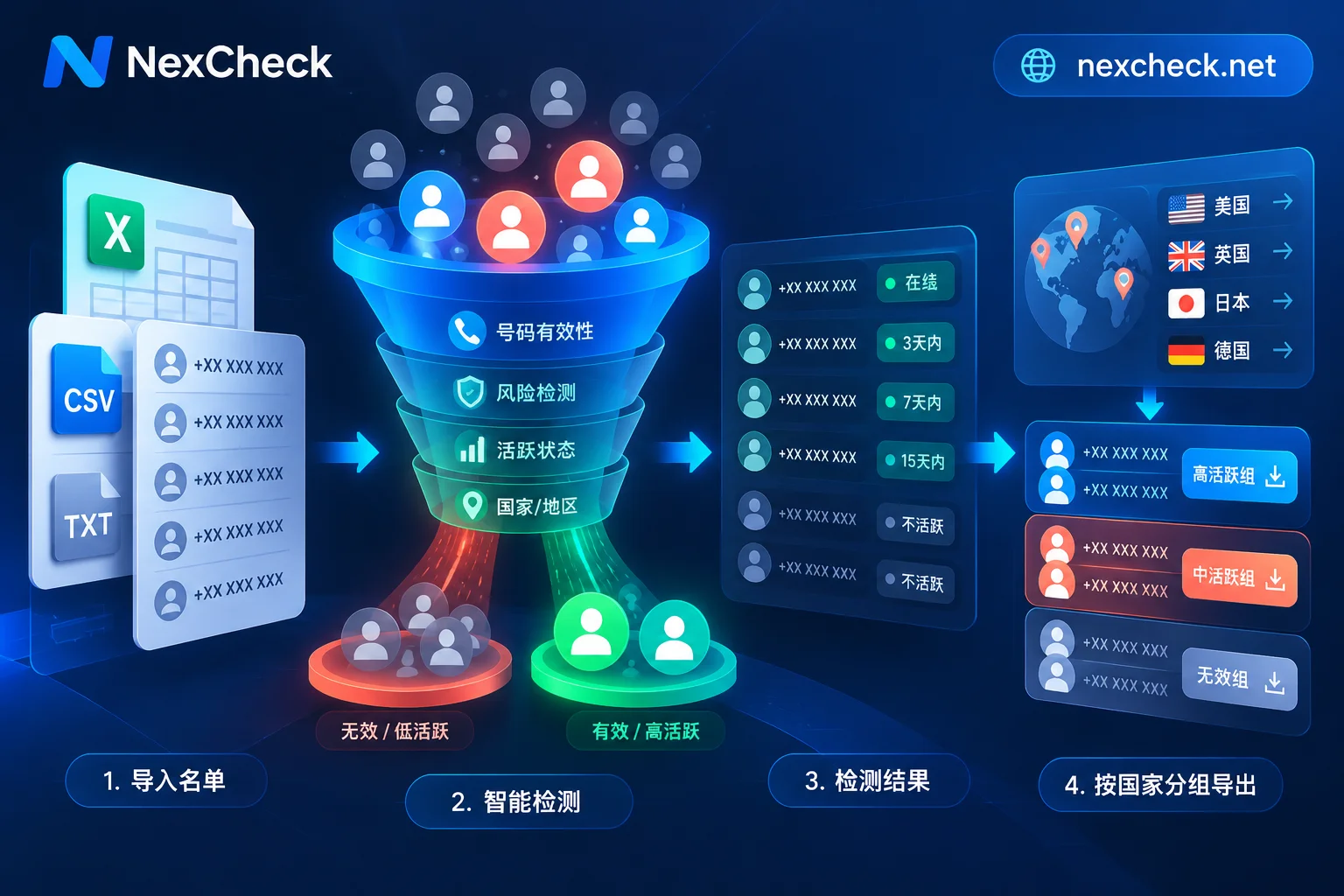
How to Run Phone Number Activity Checks: From New Delivery Threshold Rules to Cross-Platform Activity Tiering Screening
Why does a list that has already been screened for registrations still have low open rates and even drag down sender quality ratings? This article explains the essential difference between "number registered" and "number active" in light of recent dynamic delivery threshold mechanisms on messaging platforms, and breaks down the activity detection dimensions and tiered execution workflow for WhatsApp, Telegram, LINE, Zalo, and Viber.
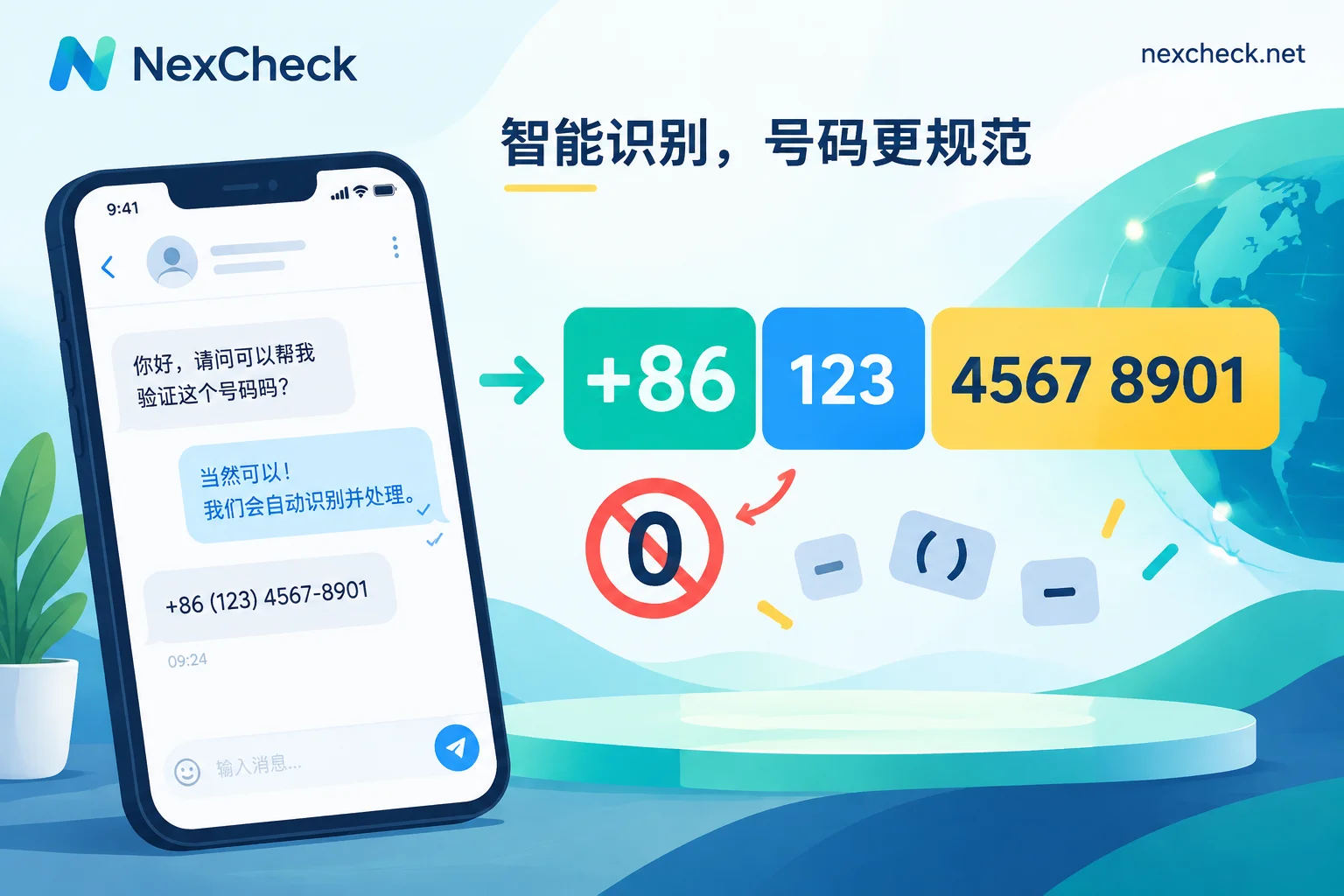
How to Write WhatsApp International Phone Number Format: Plus Sign, Country Code, Leading Zeros, and Special Rules for Argentina and Mexico
How to convert a mixed-source customer list into WhatsApp-compatible international numbers: determine each number's country, strip local leading zeros and 00/011 prefixes, apply E.164 length and character limits, handle the United Kingdom, Argentina (+54 9), and Mexico (+52 1) special rules, and strip to plain digits for APIs and links, with a pre-delivery checklist.
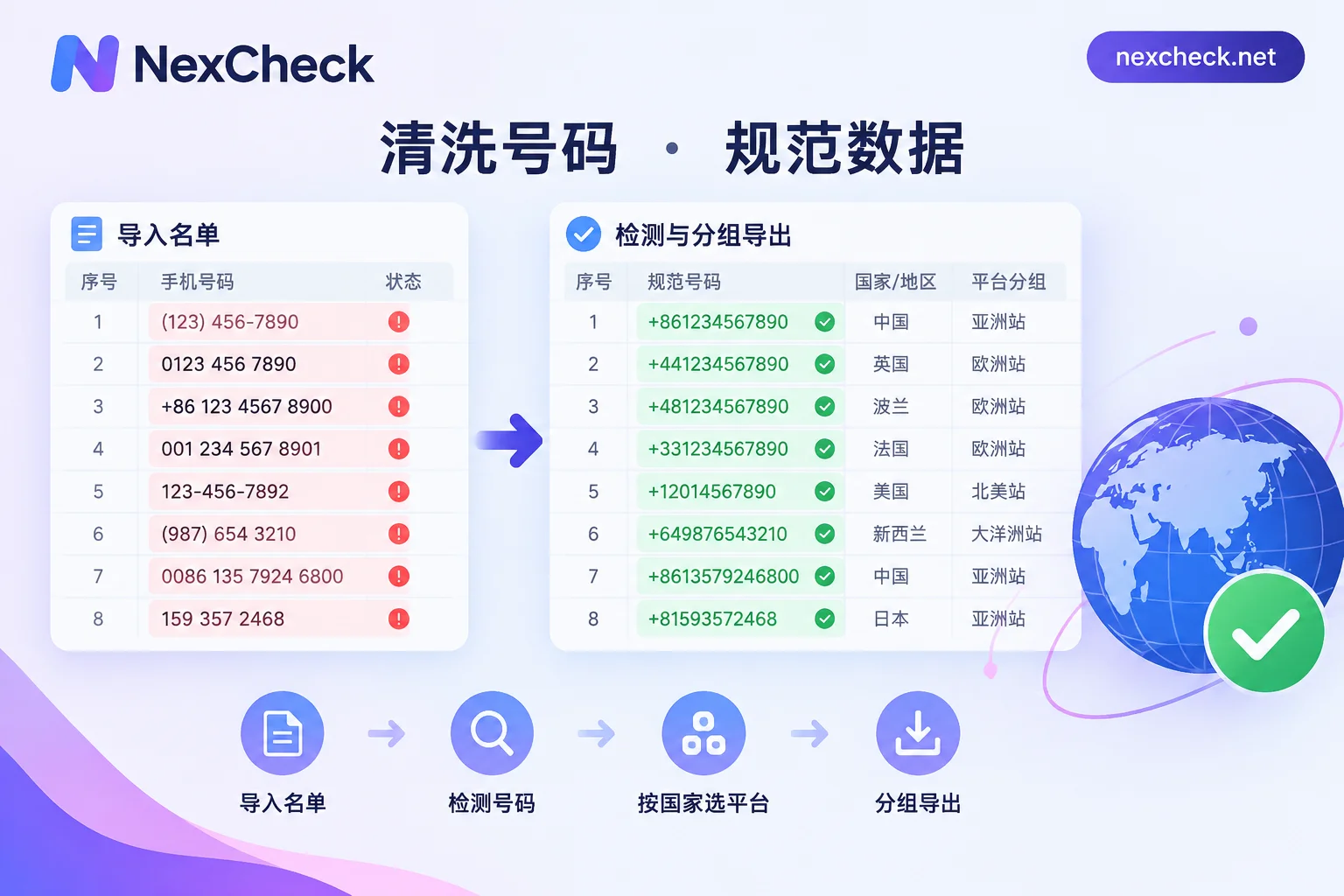
How to Fix WhatsApp Number Format Errors: E.164 Standard, Common Mistakes, and Multi-Country List Normalization Order
Most WhatsApp number format errors occur because numbers are not written in full international format: missing country code, leftover leading 0 or 00/011, mixed symbols, or not encoded according to special rules for Argentina and Mexico. This article provides standard formats for each scenario, a comparison of common mistakes, and the processing order for multi-country lists from cleaning and deduplication to per-country validation.
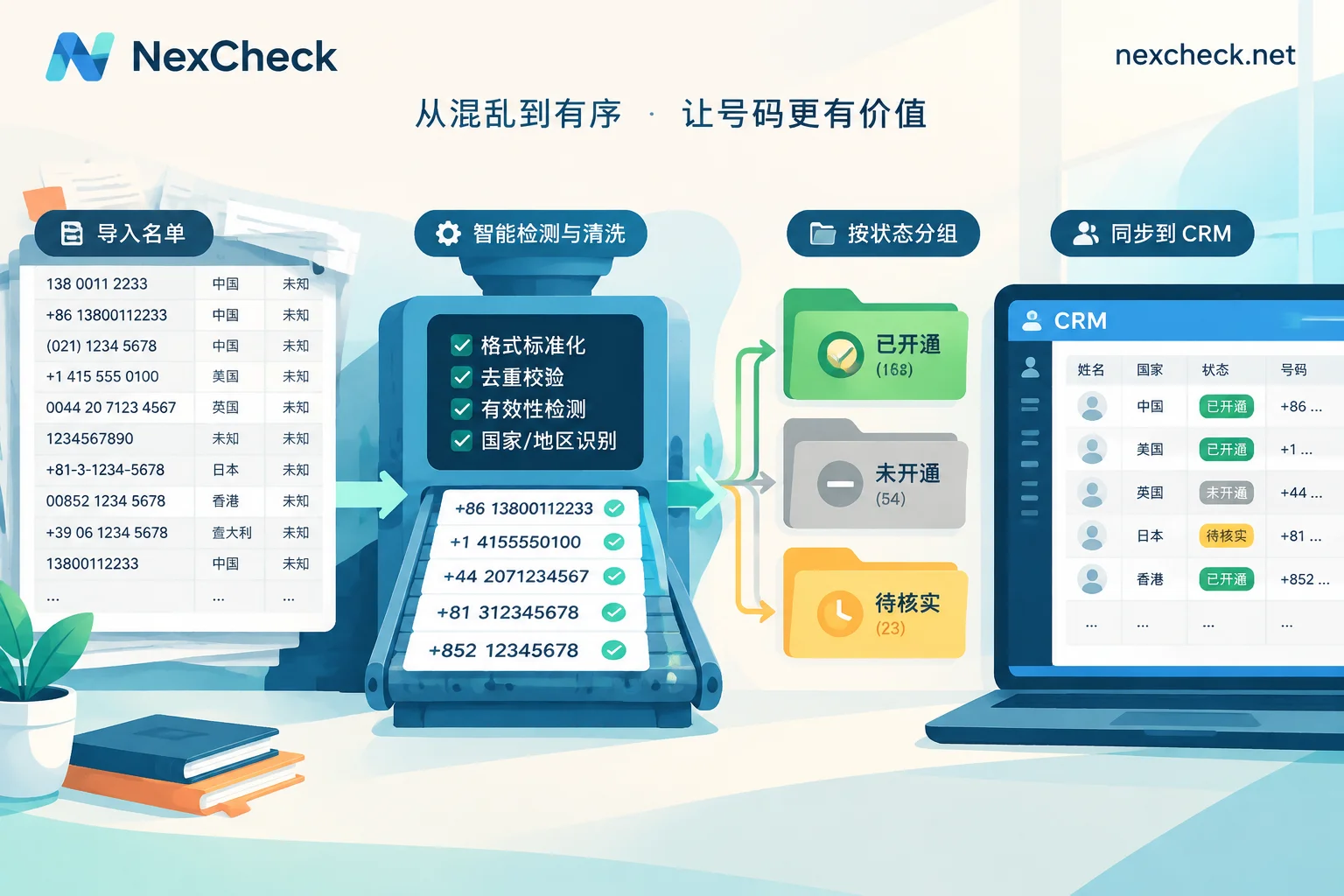
WhatsApp Customer Service Number Cleaning: From E.164 Format and Deduplication to Activation Check and CRM Write-Back
Before importing a customer service list into the WhatsApp channel or CRM, clean it in this order: keep original values, convert to E.164, deduplicate by canonical number, check activation by country, and write back in groups. The article explains the special encoding for Argentina and Mexico, why an empty privacy field does not mean inactive, and how to write results back to the CRM.
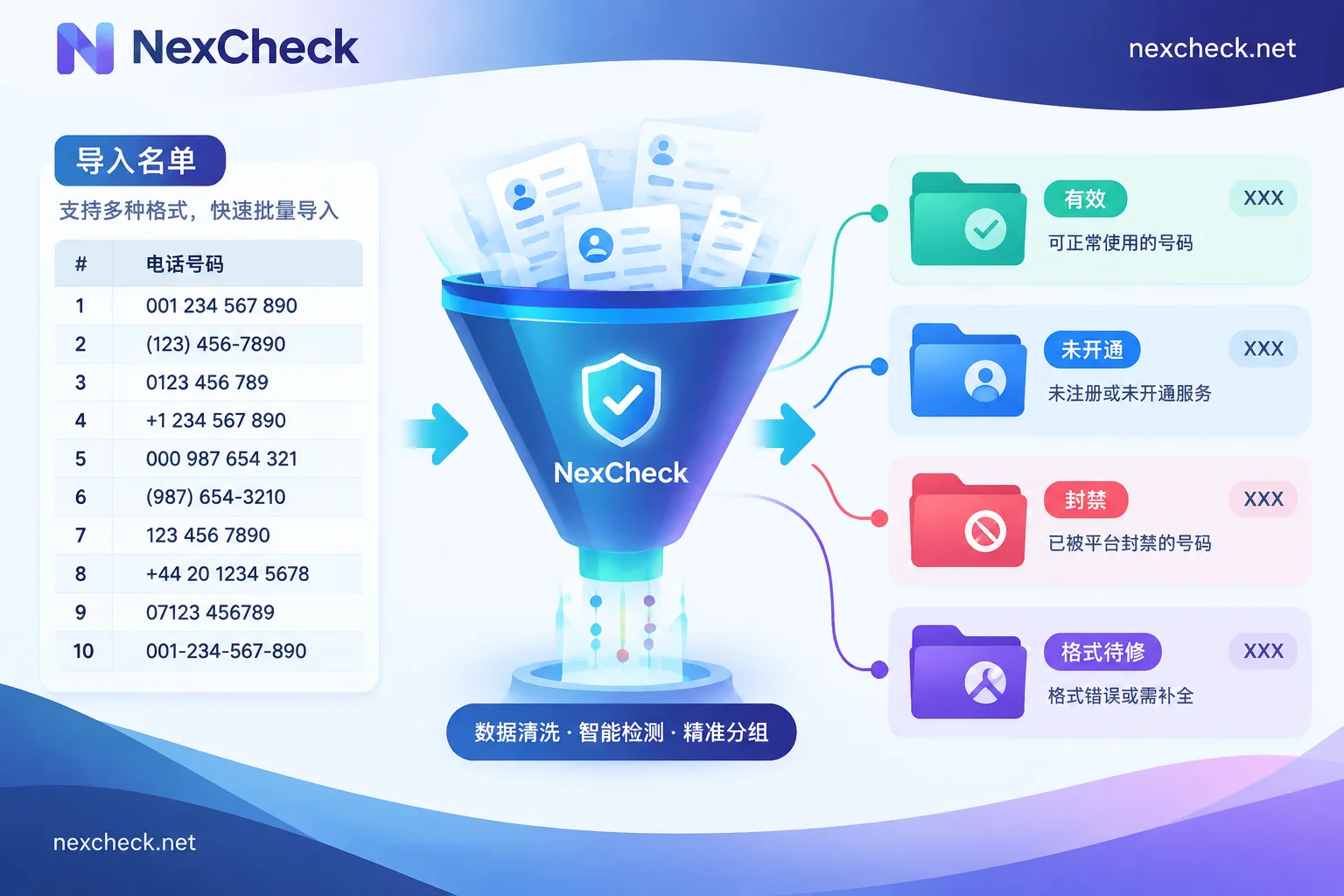
WhatsApp Invalid Number Handling: Distinguish Three Layers, Clean, Detect, and Write Back to CRM in Order
WhatsApp invalid numbers usually fall into three categories: format errors, numbers not in service, and numbers that are valid but not registered on WhatsApp or banned. This article explains the processing order: first standardize to E.164 locally, then split by country and deduplicate, then perform status detection and group by reason, and finally write back to CRM and regularly recheck. This avoids mistakenly deleting still-usable numbers and avoids paying to detect obviously incorrect data.

