 NexCheck-筛号平台
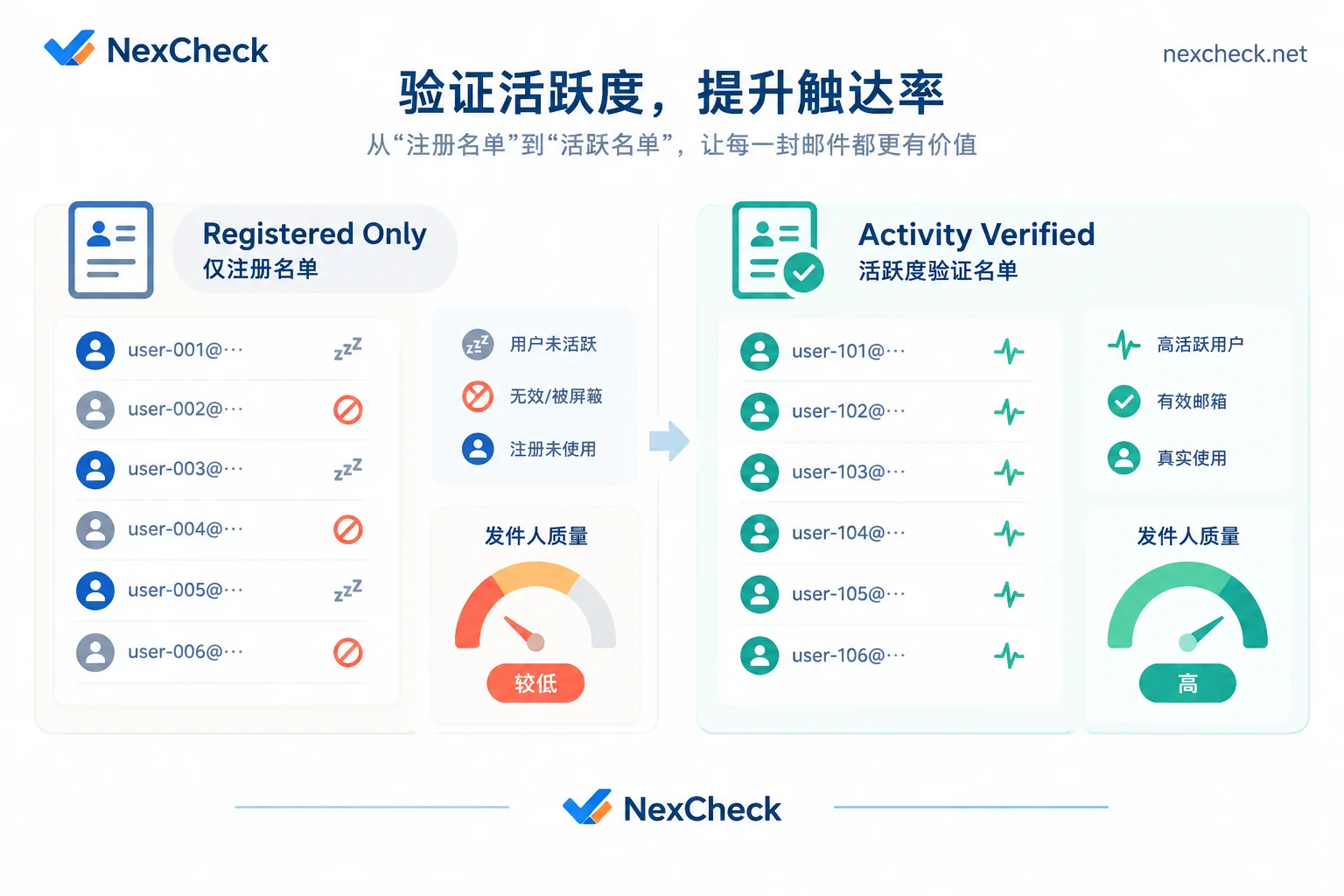
Many overseas operations and marketing teams often run into a thorny problem when reviewing outreach data: their customer lists have clearly already gone through basic empty-number filtering, and may even have been screened for social platform registration status, yet when they actually push marketing messages or outbound calls, delivery and reply rates remain dismal—and the quality score of their sending channel keeps sliding.
The problem often lies in equating "the account is registered" with "the user is still using it." In overseas markets where multiple SIM cards are common and number changes are frequent, many numbers remain active in the telecom network and are not deactivated on social apps, but they have long since become unattended idle secondary SIMs, SMS-receiving numbers, or zombie accounts. To solve this pain point, teams need to add phone number activity detection before lists enter the outreach system.
Why is checking "whether it is registered" no longer enough?
In the past, many teams believed that as long as a number was confirmed to be registered on the target platform, it could go straight into the bulk-send queue. But under current platform risk controls and billing mechanisms, this rough approach is causing direct losses:
- Platform dynamic delivery thresholds and tightening sender reputation
Take WhatsApp as an example. Meta not only strictly limits how often a single business can send marketing template messages to a single user, but also sets a dynamic "per-user delivery threshold" for each user. The system allocates receiving quota based on users' daily interaction habits, and when multiple businesses reach the same user at the same time, enterprises with higher sender reputation (message quality rating) are prioritized for delivery. If a business keeps sending messages to inactive, never-opening dormant accounts or zombie accounts, it not only fails to get positive interaction signals, but also easily runs into blocks and reports after mistakenly hitting numbers that have been recycled and reassigned, leading to a drop in sender rating and downgraded sending quota. - Invalid outreach directly eats into budget
Whether it is per-message international SMS, commercial API template messages, or manual agent outbound call hours, every outreach to a dormant account incurs real cost. Replacing high-cost blind outreach with low-cost upfront activity screening is the most direct way to control customer acquisition costs. - Natural decay of historically accumulated lists
Old customers in the CRM, trade show leads from six months ago, or stock lists collected from public channels will all go silent and change numbers over time. If lists are not tiered by activity level, high-quality leads get mixed into a sea of invalid data and wasted.
What does "phone number activity detection" check on major platforms?
Different instant messaging apps have different underlying mechanisms and privacy policies, so the definition of "activity" varies noticeably across platforms. In the NexCheck supported platforms overview, major social apps provide different detection dimensions for activity and account quality:
1. WhatsApp: Multidimensional activity and abnormal account isolation
In WhatsApp number screening, activity is not a single yes-or-no question but can be broken down into a combination of multiple business dimensions:
- Four-dimensional ecosystem activity and per-channel activity: Evaluate recent usage signals of accounts from multiple ecosystem dimensions, suitable for splitting a large list into high-priority and secondary outreach queues.
- Instant online: Capture numbers that are online at the moment of the query, suitable for real-time outbound calls or limited-time flash campaigns.
- Zombie account and ad account identification: Specifically identify dormant zombie accounts with no real interaction over a long period, as well as high-frequency abnormal advertising/marketing accounts, and remove them directly from the targeting pool.
- Banned accounts and registration time: Check for accounts already banned by the platform, or use registration time to judge the stability of account existence.
- Note on privacy boundaries: WhatsApp profile photos, bios, and last-seen times are restricted by users' personal privacy settings; if a user sets them to private, no external tool can force-read them.
2. Telegram: Activity tiering by time span
For community operations and crypto or tech overseas businesses, Telegram number screening provides clear 3-day / 7-day / 15-day activity tiers (for cleaning and write-back practices, see "How to Clean a Telegram Customer List: Formatting, Registration Checks, Activity Tiering, and CRM Write-Back").
- Active within 3 days: High-frequency core users, suitable for launch campaigns and high-value private-domain outreach.
- Active within 7 to 15 days: Regular users, suitable for periodic information pushes and routine re-engagement.
- Inactive for more than 15 days: Can be placed in a low-frequency pool to reduce interruption frequency.
In addition, Telegram also supports directly uploading@用户名for detection, making it convenient for teams that have only social handles and no phone numbers to perform upfront verification.
3. LINE: Screen for registration first, then run activity detection
In key markets such as Japan, Taiwan, and Thailand, LINE number screening registration screening is performed separately by region (Taiwan, Japan, Thailand, South Korea, Hong Kong, and the US). Note that LINE activity detection must be premised on "registered numbers already screened out" (for the specific bulk workflow, see "How to Do Bulk LINE Number Screening: Number Format Cleaning, Country-Specific Detection, Result Interpretation, and CRM Write-Back"). First obtain the registered list through regional registration screening (which can also bring back public attributes such as UID, nickname, and profile photo), then send valid results into the activity detection channel to avoid wasting activity detection fees on unregistered numbers.
4. Zalo and Viber: Activity ranges combined with "account age"
- Zalo: When working in the Vietnamese market, Zalo number screening supports account registration and activity range detection (registration and gender/age items are also divided into express and stable channels). Pay special attention that submitted Vietnamese numbers must be in the 10-digit format after the 2018 reform; old 11-digit numbers cannot return results (see "How to Do Zalo Number Screening: Vietnamese 10-Digit Number Cleaning, Dual-Channel Selection, and Tiered Detection Order").
- Viber: In regions such as Eastern Europe and Southeast Asia, Viber number screening not only provides activity range detection but also a distinctive "account age" field (see "How to Do Viber Number Screening: Registration, Activity Range, and the List Cleaning Order for "Account Age" Detection"). Here, "account age" refers to how long the account has existed since registration (not the user's biological age), and is specifically used to help operations teams remove recently registered bulk new accounts or temporary throwaway accounts.
A cost-effective four-step phone number activity screening method
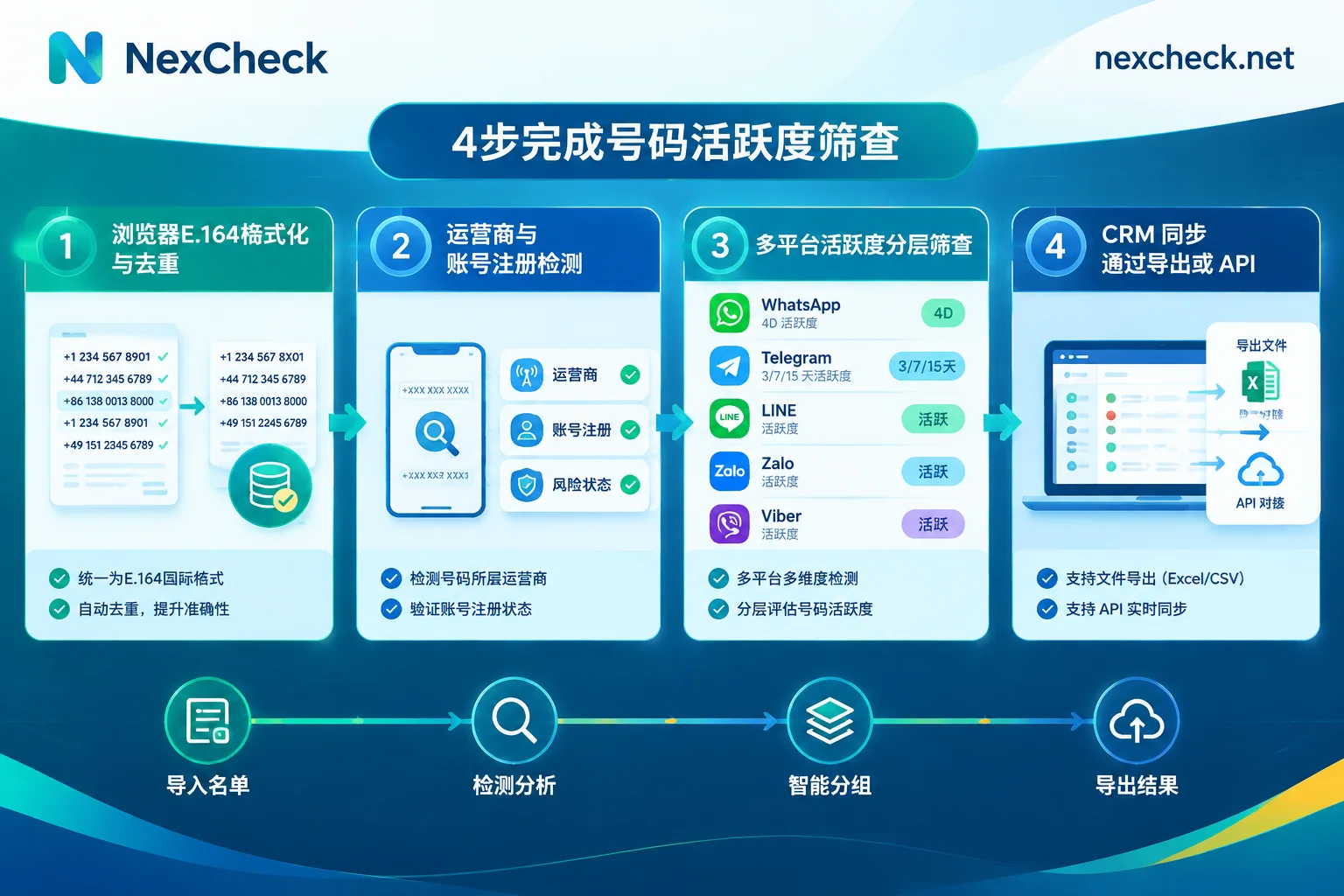
Because activity detection often consumes deeper resources than basic registration checks and has different unit pricing, throwing an unorganized raw spreadsheet directly into the activity detection channel is very uneconomical. It is recommended to operate in the following funnel order (for the complete cross-platform cleaning framework, see "How to Clean Numbers: The Complete Workflow from Local E.164 Formatting and Deduplication and Basic Empty-Number Risk Control to Cross-Platform Bulk Number Screening"):
Step 1: Free normalization and deduplication in the local browser
The console's paid detection tasks do not automatically deduplicate; duplicate rows in the file will still be billed. Therefore, before uploading, open the free NexCheck number cleaning tool. This tool runs directly in the local browser and can automatically identify delimiters, fill in country codes based on the selected default country, convert to standard E.164 format, and remove duplicates. Be sure to select the correct default country; otherwise, you will generate numbers with compliant formatting but the wrong country attribution.
Step 2: Basic telecom-layer filtering and registration pre-screening
If the list source is complex (such as an old lead database), you can first run basic number detection to filter out telecom-layer empty numbers, suspended numbers, or high-risk US complaint numbers; then run registration detection on the corresponding social platform to first remove numbers not registered on that app.
Step 3: Seamlessly continue to activity screening with the console's "Continue Detection"
After completing registration detection in console bulk tasks, there is no need to download the file locally and reorganize and upload it again. You can directly use the "Continue Detection" feature on the task result page to take the "valid registered numbers" that passed the previous round as input and launch the next round of activity detection (such as WhatsApp four-dimensional ecosystem activity, Telegram 3/7/15-day activity tiers, or LINE activity detection). The system automatically creates a new task and bills only for these valid numbers, saving manual export errors and spending budget precisely where it matters.
Step 4: Export tiered results and write back to CRM promptly
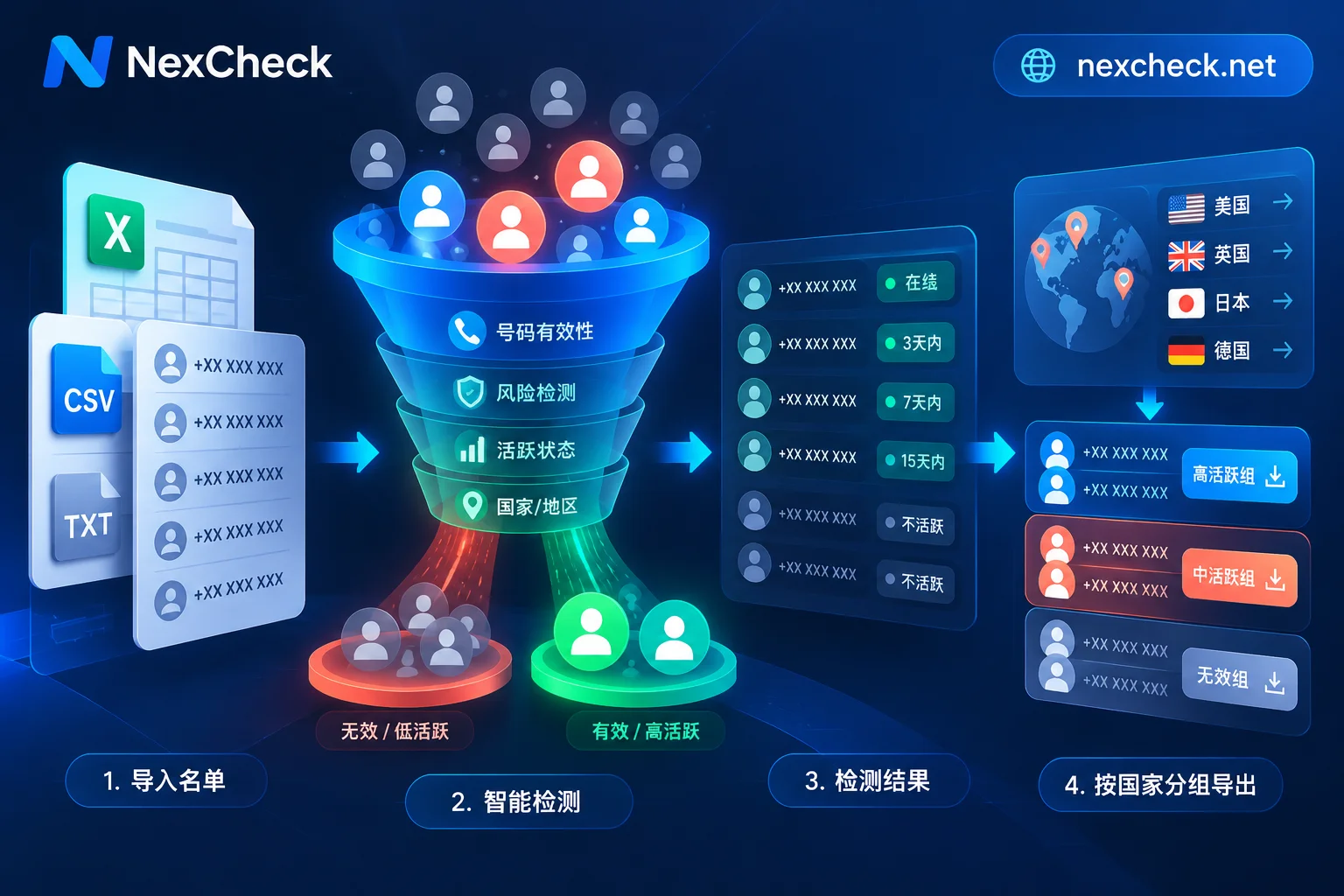
After detection is complete, results are returned grouped by valid and invalid, with online preview and download supported. Since number activity status reflects the platform's real-time performance at the moment of the query, and the task center is not intended as long-term data archiving, teams are advised to export the spreadsheet promptly after task completion, or write activity tags directly back to the CRM through RESTful API and Webhook push mechanisms in their business systems.
Start refined list tiering now
Reserve budget for real users who are actually still using the app. You can visit NexCheck regional solutions to view local number formats and primary platform screening order for your target overseas countries, or directly register a free NexCheck account and log in to the console to view real-time price lists for each channel. If you need to integrate bulk phone number activity detection into your existing internal systems via API, feel free to check the official user manual or contact Telegram support (@nextipkf) directly for integration support.



Comments(0)