 NexCheck-筛号平台
Choosing a WhatsApp number filtering platform shouldn't rely solely on advertised accuracy. Focus on verifiable criteria: result tiering, clarity on synchronous Graph vs. asynchronous Webhook errors, support for small-batch trial runs, explicit acknowledgment that it doesn't replace Opt-in authorization, and auditability of batch tasks and result callbacks. Meta's official documentation (June 2026) on the Quality Rating mechanism and Cloud API error codes serves as the measuring stick.
What Filtering Can and Cannot Solve: From Registration Status to Quality Rating Causal Chain
First, distinguish five concepts: valid number format, carrier reachability, registered on platform, active account, and user authorization. Filtering platforms can directly verify E.164 format and WhatsApp registration status; activity is an inference based on behavioral signals, while carrier reachability and user authorization are entirely outside their scope. Format invalidity and carrier unreachability are two different problems; for determination criteria, refer to Mobile Number Validity Detection.
Meta's official rules state that a business number's Quality Rating (Green, Yellow, Red) is driven by real user blocks, reports, and unsubscribes over the past 7 days. If you treat "registered" as a free pass and blast messages, user reports will quickly turn the rating red, hindering automatic messaging tier expansion. Filtering reduces failure rates from sending to empty or invalid numbers, but it cannot bypass rate limits or replace Opt-in authorization. For deeper insight into number status detection boundaries, see Number Registration Status Detection.
Criterion 1: Are Results Tiered, Not Just Boolean?
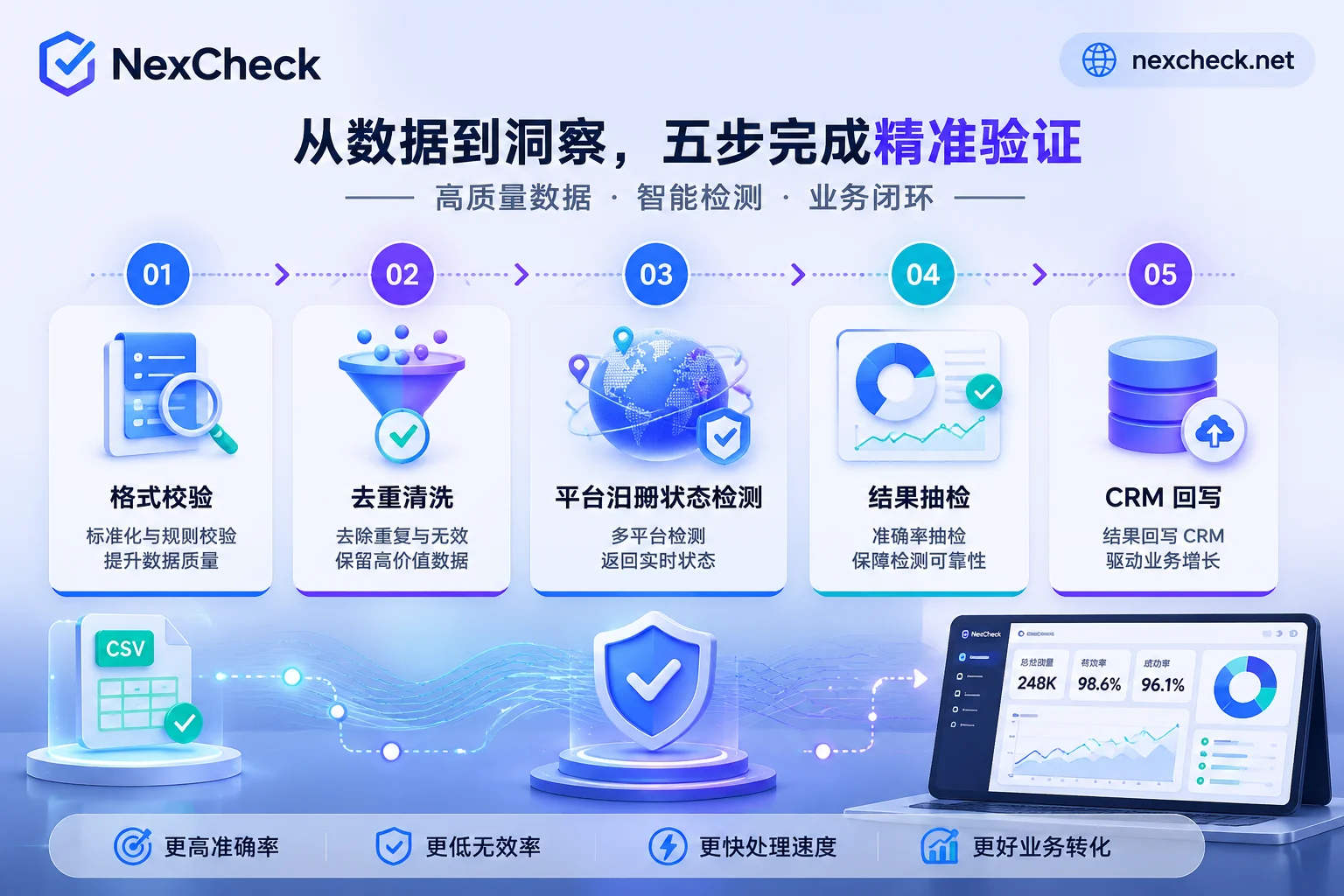
A single boolean (registered/unregistered) doesn't support tiered outreach. A reliable platform should output tiered fields: invalid format, not registered, registered, and activity level. This allows segmenting lists by quality: high activity gets higher send frequency, low activity gets reduced or no messaging.
How to verify: Ask for API response field examples. Check if it can differentiate "format error", "unregistered", and "registered but low activity".
Pass criteria: At least three tiers with documented meanings.
Typical failure: Only a boolean, or lumping "unregistered" with "format error".
Criterion 2: Can It Explain Dual-Track Errors? (Why Messages Still Fail After Filtering)
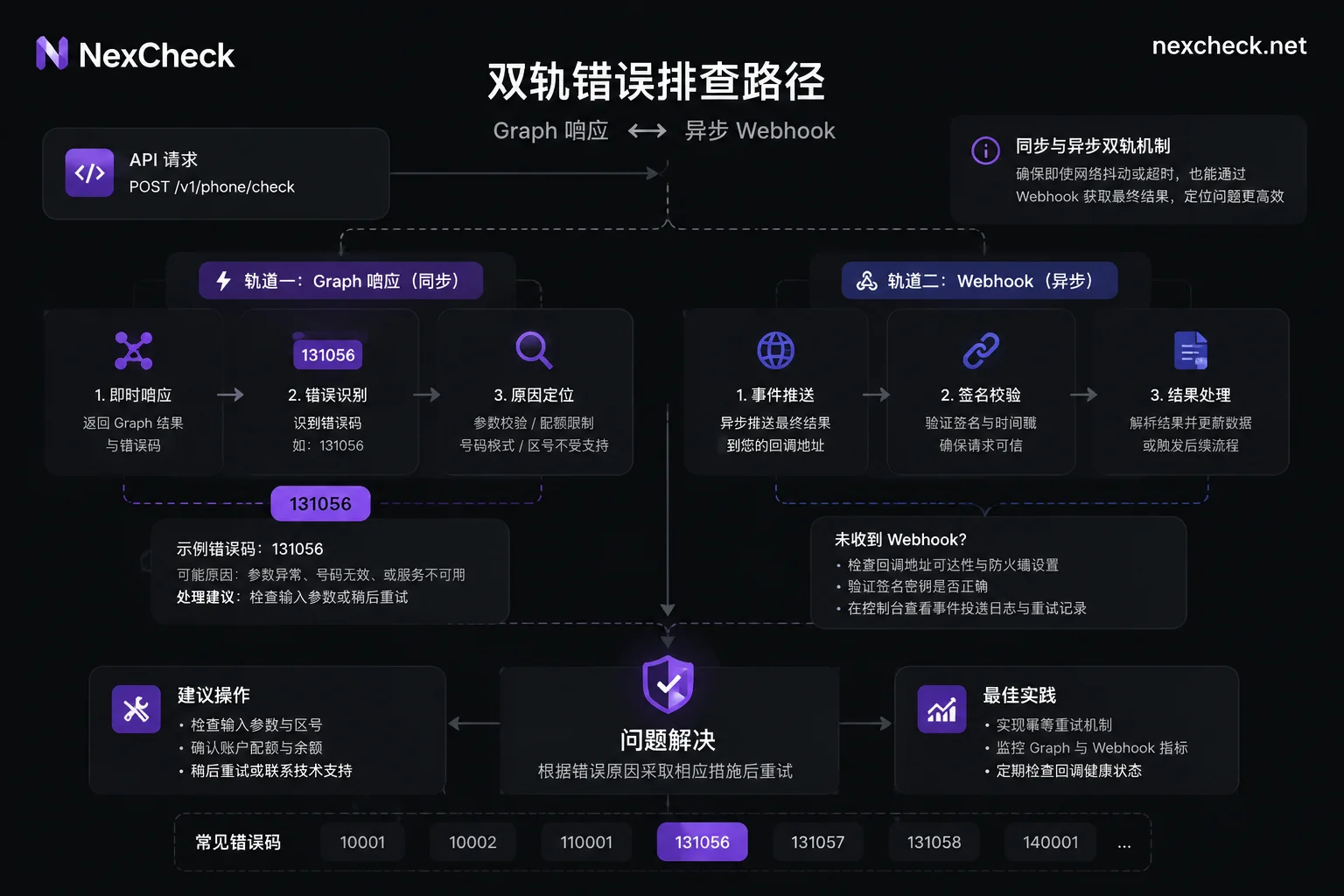
Meta's WhatsApp Cloud API errors are dual-track: synchronous Graph API responses (HTTP 400/429 with error code 131056 for rate limit, default 1 message per 6 seconds per user) and asynchronous Webhook notifications (e.g., 131048 quality restriction, 33 invalid account). When sending fails, first distinguish whether it's synchronous rate limiting or asynchronous failure.
How to verify: Directly ask about the trigger logic of 131056 and how async failures are handled. If they can only claim "99% delivery" without explaining this mechanism, the claim is unreliable.
Pass criteria: Clear explanation of both error scenarios and webhook callback examples.
Typical failure: Blaming all failures on invalid numbers, not distinguishing rate limits from quality downgrades.
This also explains why messages still fail after filtering—likely 131056 rate limiting or a red quality rating, not invalid numbers.
Criterion 3: Small-Batch Trial Run and Sample Validation
To judge accuracy, test yourself. Prepare four sample groups: known active numbers, known dead numbers, format anomalies (e.g., missing country code), and international numbers. Run and compare to establish a baseline.
How to verify: Request a small trial and run these samples. Check if tiered results match known truth.
Pass criteria: Consistent with known truth, reproducible across runs, and provider can explain discrepancies (e.g., recently unsubscribed numbers, parsing differences).
Typical failure: No trial available, or trial requires full runs, or can't customize samples.
Criterion 4: Explicit Statement That Filtering Doesn't Replace Opt-in and Template Compliance
Meta's quality rating is driven by user blocks, reports, and unsubscribes, directly affecting automatic expansion of Messaging Limits Tier (default sequence 250→2,000→10,000→100,000→Unlimited). Maintaining Green/Yellow rating and consuming >50% of limits within 7 days is a prerequisite for auto-expansion. If "registered" is treated as a free pass, rating turns red quickly and expansion stops.
How to verify: Check the platform's website or contract for a clear disclaimer that "filtering does not replace Opt-in authorization."
Pass criteria: Explicit disclaimer and guidance on maintaining authorization records.
Typical failure: Promoting "filtered numbers can be mass-sent" or "never get banned," avoiding the Opt-in issue.
If your WhatsApp business number quality rating turns red, self-check in order: 1) stop bulk sending; 2) check user feedback (blocks, reports) over the past 7 days; 3) confirm explicit Opt-in; 4) use template messages to re-engage and wait for recovery.
Criterion 5: Batch Task, Rate Limit, and Result Callback Auditability
Engineering-wise, ensure submitted, returned, and stored counts match. Batch submission, task status queries, webhook callbacks, retries and idempotency, and field mapping to CRM must be stable and auditable.
How to verify: Ask for API logs or task details; test batch submissions and reconcile item by item. For example, NexCheck's RESTful API supports batch submission, real-time queries, and webhook callbacks; use it as a reference to check candidates.
Pass criteria: Every task has a queryable batch ID, and export field-to-CRM mapping documentation is complete.
Typical failure: Only aggregate results, unable to trace individual records.
One-Page Selection Comparison Table and Trial Run Plan
| Criterion | Verification Method | Pass Criteria | Failure Pattern |
|---|---|---|---|
| Result tiering | Check API response fields | At least three tiers | Only boolean |
| Error mechanism explanation | Ask about 131056 and async callbacks | Can distinguish two error types | Vague attribution |
| Small-batch trial | Four sample groups | Consistent with truth and reproducible | No trial available |
| Opt-in statement | Check website disclaimer | Explicitly not replacing authorization | Promises never ban |
| Callback reconciliation | Test batch ID and field mapping | Three counts align | Can't trace individual records |
Trial plan within two weeks: first week run four sample groups; second week send a test batch of 500 real numbers, comparing failure rate and quality rating changes. For result callbacks, consider tools like NexCheck that support tiered output for over 100 platforms; via RESTful API with batch submission, real-time queries, and webhook callbacks, results are directly written back to CRM/SCRM, reducing re-mapping costs when switching providers.
FAQ
How to self-test the accuracy of a WhatsApp number filtering platform?
Prepare four sample groups: known active, dead, format error, and international numbers, 10 each. Run and compare results to known truth, calculating accuracy. If the platform doesn't even support small-batch trials, exclude it.
What does WhatsApp Cloud API error code 131056 mean?
131056 indicates rate limiting on your account: you're messaging the same user too frequently (default max 1 per 6 seconds). It appears in synchronous Graph API responses (HTTP 400/429), not via async Webhook. Reduce send frequency to that user or check for duplicate sending logic.
Can number filtering prevent WhatsApp account bans?
Filtering only reduces failures from invalid numbers; it can't prevent user reports and subsequent bans due to missing Opt-in. Meta's Quality Rating is driven by reports; only compliant outreach avoids downgrades. Filtering is not a magic shield.
Why are messages still not sent after filtering? What's the troubleshooting order?
First, check synchronous errors: if 131056, it's rate limiting, reduce frequency; if 131048 or 33, it may be quality restriction or invalid account. Then check async webhooks for user reports or template rejections. Finally, verify that the list actually has Opt-in authorization.
How do WhatsApp number filtering platforms charge?
Typically per query or monthly subscription with a quota, with overage charges. Check the provider's pricing page, but don't compare only unit price; consider capabilities like tiered output and API callbacks. Start with a small paid trial before long-term contracts.


Comments(0)