 NexCheck-筛号平台
When your business list contains many unreachable numbers, WhatsApp number screening is often the first step to salvage your account quality score. According to Meta's official error code documentation, sending template messages to numbers not registered on WhatsApp returns error 1013 (User is not valid) and triggers asynchronous receipt 131026 (Message Undeliverable). Critically, Meta officially discontinued the On-Premises API on October 23, 2025, fully transitioning to the Cloud API and imposing rate limits on accounts with high failure rates, making screening essential not just for saving costs but for protecting your account.
At its core, WhatsApp number screening confirms before sending whether numbers meet the E.164 international format, whether they are registered on WhatsApp, and categorizes your list into sendable, non-sendable, and needs-review batches. It does not indicate if a number is active, nor does it imply you have obtained opt-in authorization.
Step 1: Normalize Numbers to E.164 Format
The first step in screening is not checking registration but checking format. The WhatsApp Cloud API requires all numbers to conform to E.164 international format: include country code, no leading zeros, spaces, or special symbols. Normalize numbers by adding a plus sign, country code, and removing leading zeros from the local part.
Specific steps:
- Remove all spaces, parentheses, hyphens, and other separators.
- Add the country code based on the number's location; for example, +86 for China numbers, +1 for US numbers.
- Remove leading zeros from the local number; for instance, Chinese numbers like "0138…" should become "138…".
- Decide on including the plus sign: it's recommended to keep it, as omitting it might treat the number as local.
- Finally, deduplicate the entire list, and delete empty rows and obviously non-mobile fields.
This step is the cheapest in the screening process but can directly filter out data that would be rejected by the API, preventing repeated 1013 errors later. If the format is inconsistent, you never even get a chance to check registration.
Step 2: Batch Check Registration Status and Categorize into Three Tiers
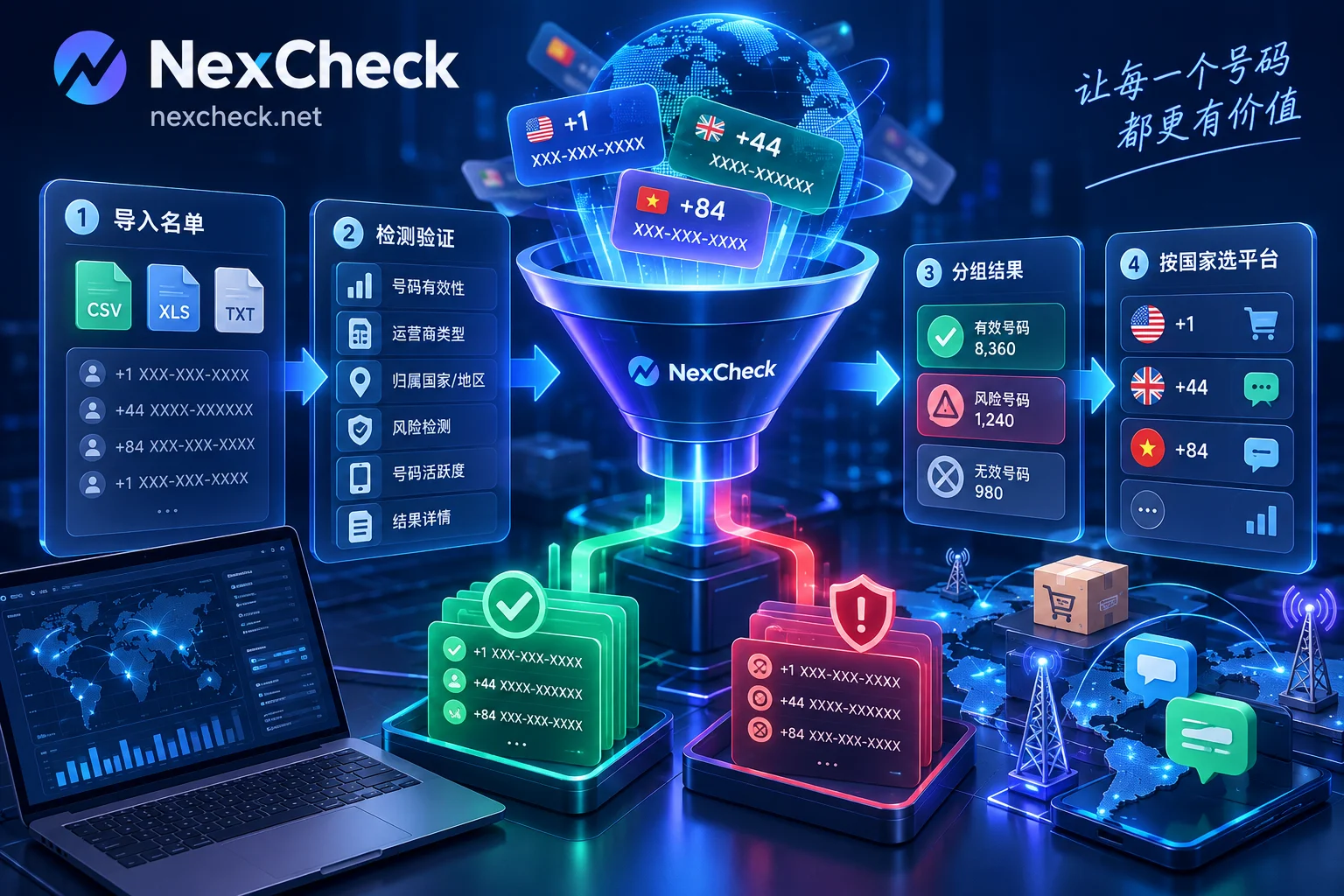
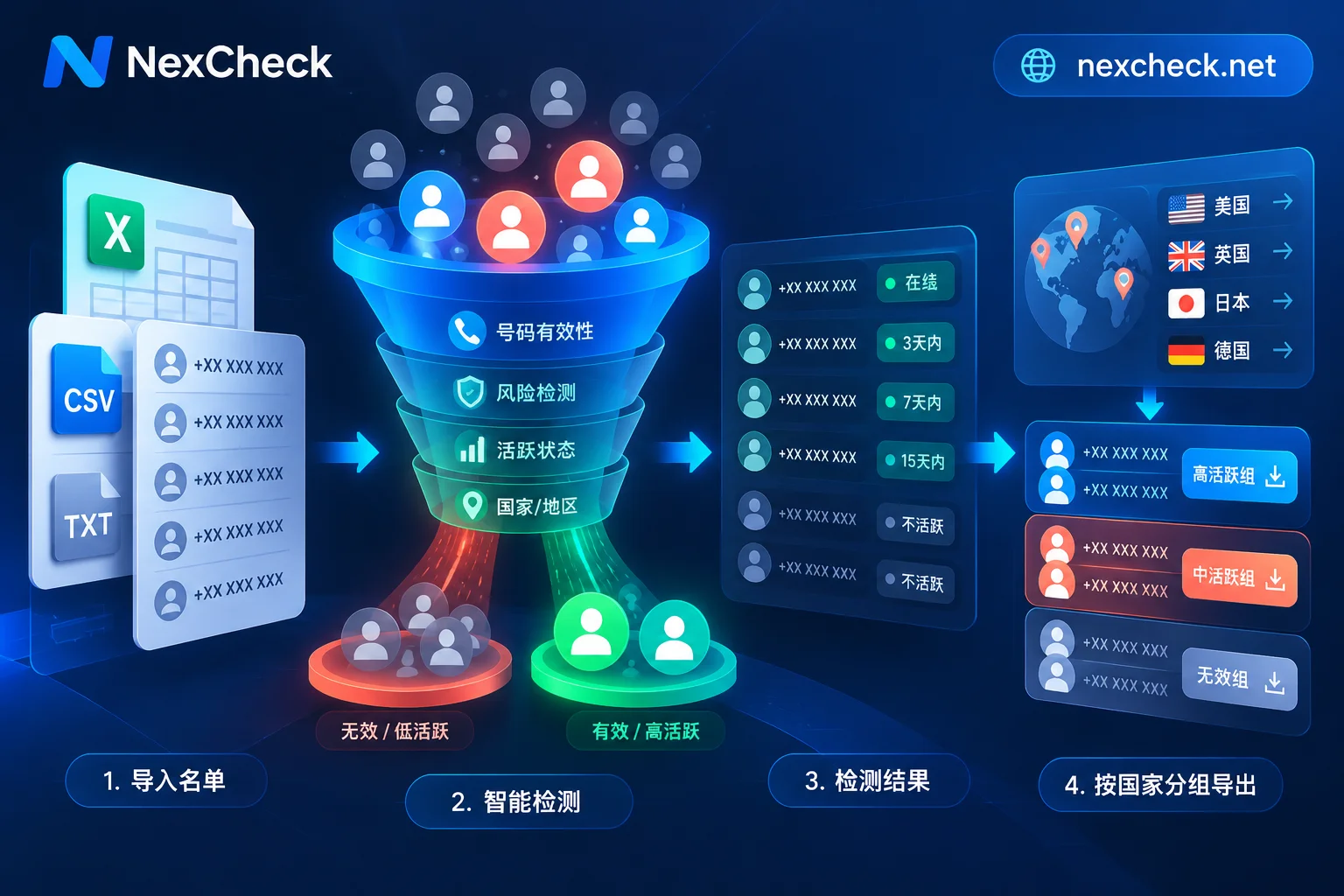
The core of WhatsApp number screening is batch checking registration status and categorizing into three tiers. Regarding how to know if a number is registered on WhatsApp, note that the Cloud API does not offer a public endpoint for registration status queries. Registration status can only be determined through two methods: third-party batch checking services, or small test sends followed by 1013/131026 error code collection. Manage results by tiers:
| Tier | Criteria | Next Steps |
|---|---|---|
| Sendable | Check returns registered | Move to outreach pool, proceed with small test sends |
| Non-sendable | Returns not registered or 1013 | Permanently remove or place in a secondary verification list |
| Needs review | Timeout, network error, or API error | Retry after a period or manually spot-check |
This division prevents flooding the message pipeline with invalid numbers. Registration status is time-sensitive: numbers can be deactivated or reassigned, so record the check timestamp and recheck periodically (e.g., monthly).
Additionally, you can integrate NexCheck's web-based batch screening at this step to clean numbers before they enter the message pipeline. It supports batch submission, real-time queries, and provides RESTful APIs and webhook callbacks for automatically writing back categorized results to your CRM/SCRM. For example, tag numbers returning not registered as invalid and update via webhook; only use records detected as registered within the last 30 days with authorization status yes. Remember that any check results have sampling errors and time sensitivity, cannot guarantee 100% accuracy, and cannot replace user authorization.
Step 3: Three-Tier Separation: Clearly Divide Sendable and Non-Sendable
After batch checking, separate the list based on results to prevent invalid numbers from mixing into the send queue. The separation is straightforward:
- Place "registered" numbers into the sendable pool, awaiting small test sends.
- Place "not registered" or numbers returning 1013 into the non-sendable pool, tagging accordingly.
- Place timeout or interface-error numbers into the needs-review pool for later retesting.
The purpose of separation is to make subsequent test sends and error code collection more focused, and to help you trace whether failures stem from format or number status issues.
Step 4: Small Test Sends: Use Your Own Baseline to Judge Failure Rates
Even after screening, you might still encounter "passed check but sending fails." Understand the difference between two error codes: 1013 is a synchronous error returned at API call time; 131026 is an asynchronous Message Undeliverable—the API accepted the request, but the message ultimately cannot be delivered, with the webhook receipt indicating the primary reason is the recipient number is not a WhatsApp number.
Process:
- Start with a small batch (e.g., 200–500) of numbers that passed checks.
- Monitor failure rate: compare against your own historical baseline; for example, if the failure rate is significantly higher than past performance for the same list (an empirical alert line of 5% is not an official Meta threshold), stop sending immediately.
- Tag numbers returning 1013 or 131026 and update the list.
- Based on error code distribution, return to Step 1: check format, missing country codes, or whether numbers were just deactivated.
Note: Synchronous errors and asynchronous receipts are different—the former is an immediate rejection, the latter is accepted but later deemed undeliverable. Only combining both allows full recovery of invalid numbers.
High Failure Rate in WhatsApp Bulk Messaging: How It Affects Your Sending Limits
Many teams ask, "What to do if WhatsApp bulk messages have a high failure rate?" The answer is simple: high failure rates not only waste messages but also drag down your account limits. With Meta's full transition to Cloud API, sending limits are tiered by Business Portfolio: 250, then 2,000, 10,000, 100,000, up to Unlimited. Higher tiers rely more on your quality metrics.
When the failure rate is high, or when user reports and blocks increase, your account's Quality Rating drops from Green to Yellow or even Red, hindering automatic upgrades and potentially triggering 131048 (spam rate limit) or 131049 (ecosystem protection block). This is why WhatsApp number screening must happen before outreach: it determines whether your account can grow healthily.
Compliance: Registration Check Does Not Substitute User Authorization
A clarification is essential: a number being registered on WhatsApp only means it has an active WhatsApp service; it does not mean the user is willing to receive your marketing messages or that you have obtained opt-in authorization. If you send bulk marketing templates to registered numbers without authorization and users block or report, your account will be rate-limited and Quality Rating will go red.
Therefore, in list management, add an "authorization status" field capturing user source, authorization time, and method, and provide a clear unsubscribe mechanism. Managing authorized and unauthorized numbers separately protects both outreach efficiency and account safety.
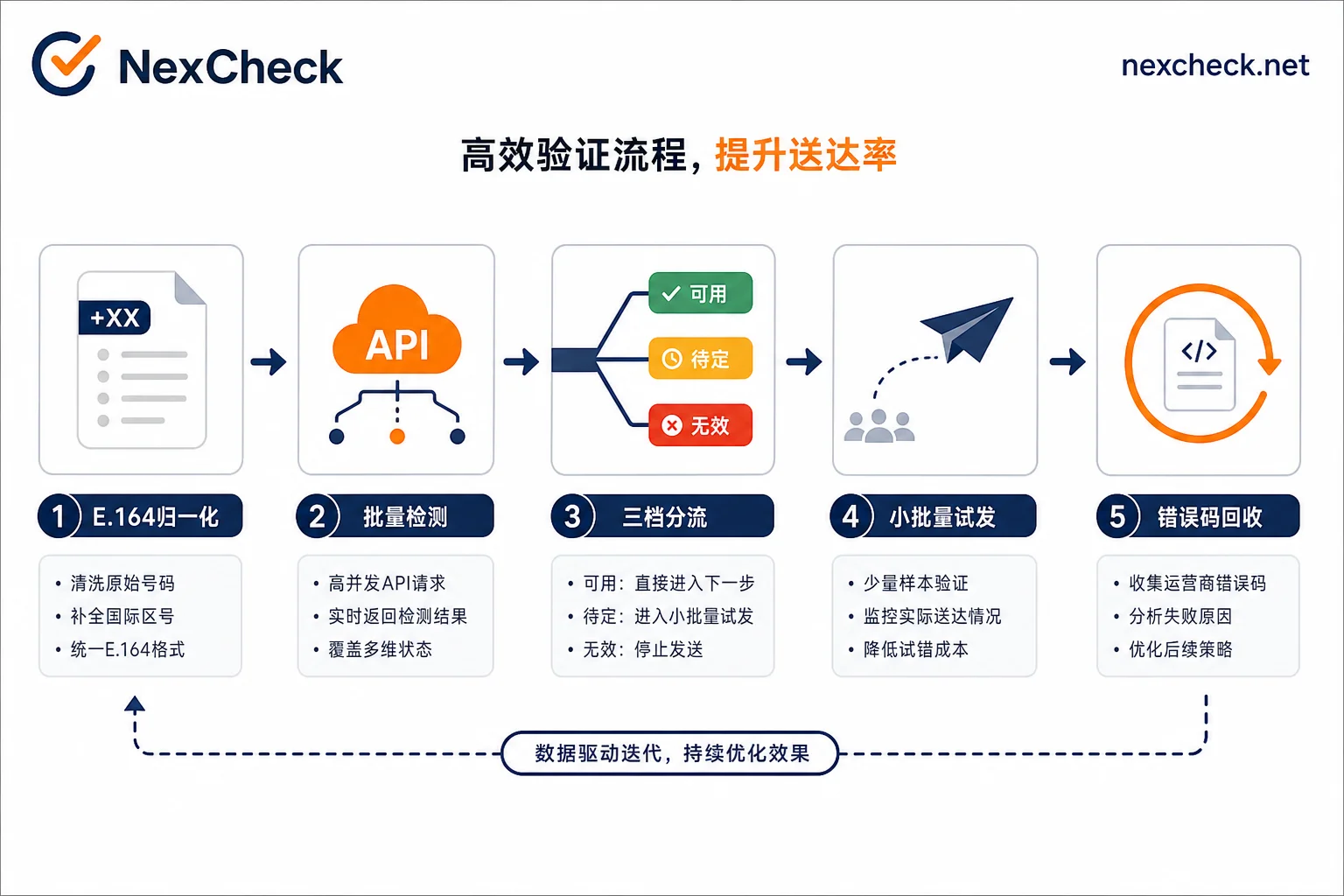
Step 5: Error Code Collection and List Write-Back: Closing the Loop
Error code collection is the final step in the screening process. Consolidate synchronous and asynchronous errors:
- Add numbers with 1013 to the invalid list and update CRM.
- Mark numbers with 131026 as "undeliverable," and decide whether to review based on the reason field.
- Periodically remove invalid numbers from the main outreach pool to avoid repeat sends.
Only then is a complete WhatsApp screening process finished: from format normalization to error code collection, each step provides cleaner data for the next.
FAQ: Where to Start When Check Results Differ from Actual Sending
Why does a number show registered but sending returns 1013?
Possible causes: the format changed during sending, the number was deactivated between check and send, or your checking service uses outdated cache. First verify E.164 format, retest with the same parameters, and ensure the check was recent (within a week).
What tools can check if numbers are registered on WhatsApp in bulk?
Currently, only third-party batch checking services are available. Choose ones that support webhook callbacks and export results, like NexCheck, which offers web-based batch screening and a RESTful API for automated cleaning, writing results back to CRM/SCRM. But be aware of the time sensitivity and sampling errors.
Does error 131026 always mean the number is invalid?
Not entirely. The official docs state the primary reason for 131026 is the recipient not being a WhatsApp number, but it can also involve message template rejection or user settings. Check the specific reason field in the webhook and cross-verify with registration status.
How can I reduce the risk of WhatsApp account quality score decline?
Quality decline stems from high failure and complaint rates. Countermeasures: screen numbers beforehand to remove invalid ones, strictly control sending frequency, only send to authorized users, and provide visible unsubscribe options. Also, promptly address traffic blocks like 131048 and 131049 to help recovery.
How often should screened lists be rechecked?
It depends on user activity cycles. For marketing campaigns, recheck 1–2 weeks beforehand; if sending monthly, recheck monthly. WhatsApp screening is not a one-time action but a rolling cleaning process aligned with list lifecycles; one check is not enough. See NexCheck's documentation on number validity check criteria.


Comments(0)