 NexCheck-筛号平台
Let's put the conclusion first: Whether Telegram number screening itself will get your account banned depends on how you screen; and whether you can prevent bans after screening depends on how you contact the other party afterwards.
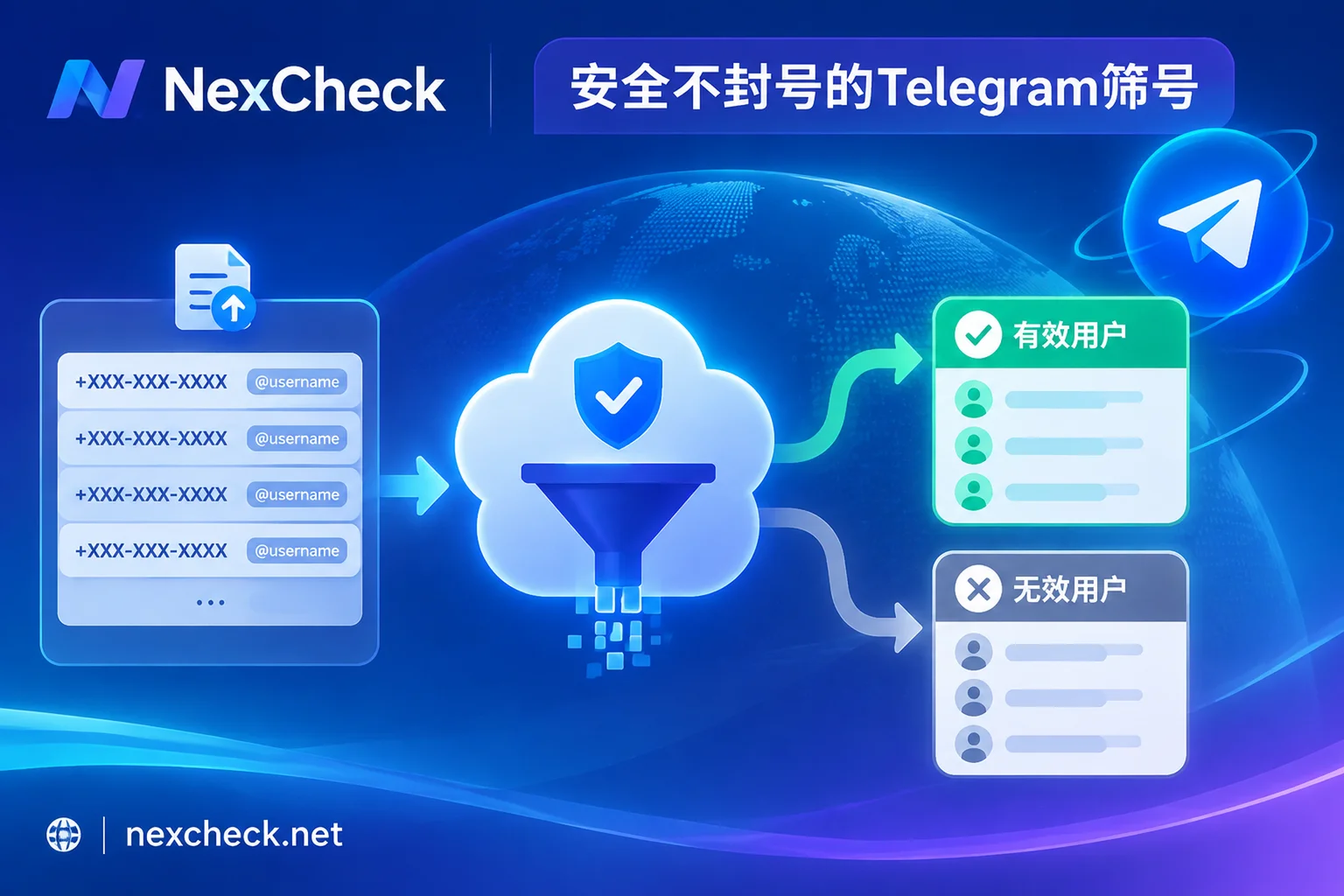
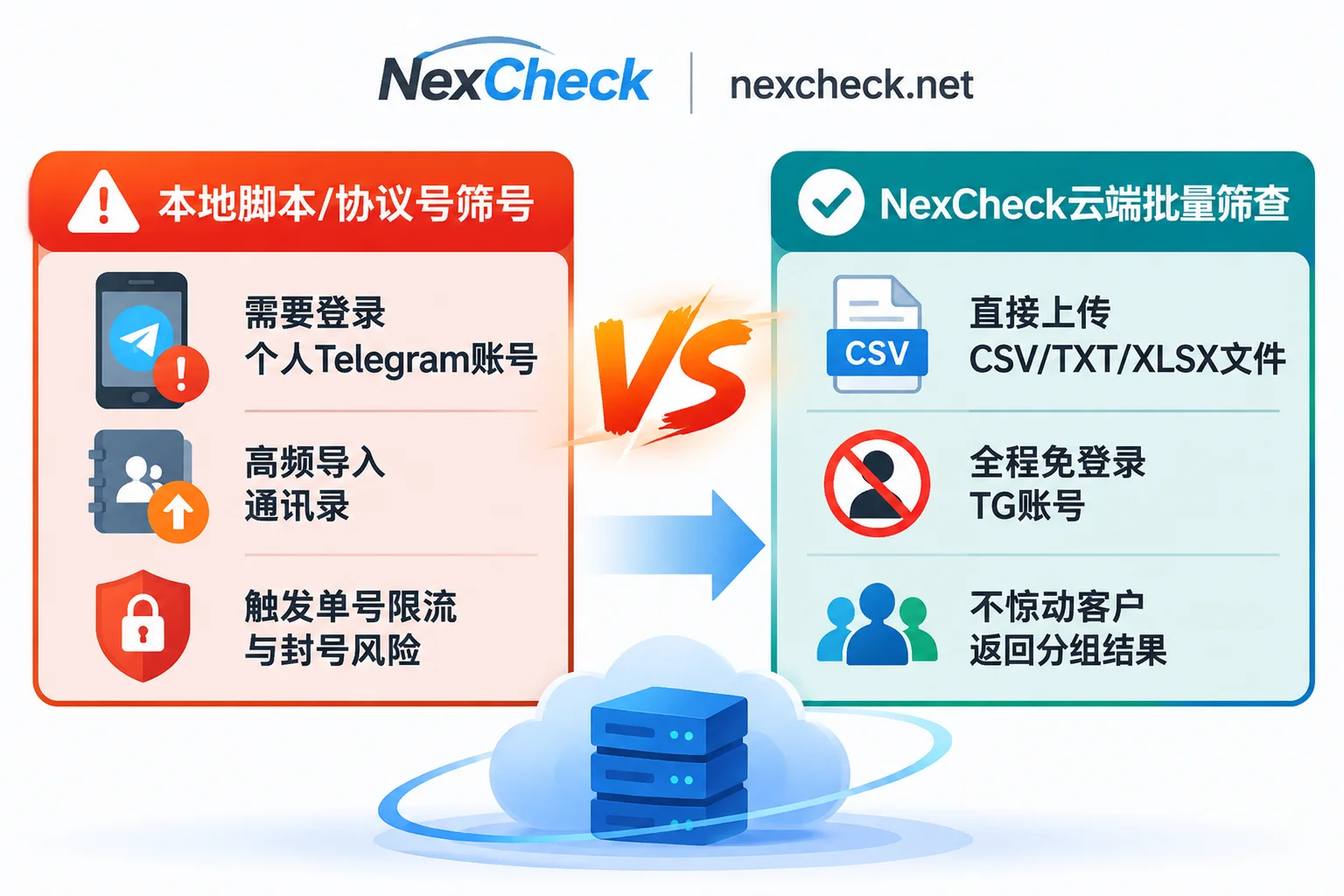
If you use local client scripts or protocol number software to repeatedly "import contacts" from your own Telegram account for database collision detection, high-frequency requests will indeed trigger platform rate limits and may even lead to the executing account being restricted or banned. However, if you use a cloud-based batch screening platform that does not require logging into a personal TG account (for example, uploading a list file and having the platform return status), the detection process does not consume or authorize your business account, and this step itself will not involve your account.
At the same time, let's pour some cold water: Number screening is not an "anti-ban immunity charm." Screening solves data-level noise—removing unregistered numbers, incorrectly formatted numbers, and long-inactive zombie accounts; but it cannot change whether strangers will be disgusted and report your messages. If you still send unsolicited high-frequency hard ads after screening, the account will still trigger the official @SpamBot restrictions. Only by understanding these two boundaries can you both keep your account safe and avoid spending budget on invalid fields.
1. Is screening itself safe? The fundamental difference between local scripts and cloud batch screening
When many teams first encounter list verification, they easily confuse "client-side auxiliary tools" with "cloud data detection platforms," and this is where risks are most concentrated.
- Local protocol number/plugin screening: putting risk control directly on your own account
The common principle of desktop software or open-source scripts is to call MTProto's contact synchronization mechanism to batch import a group of phone numbers into your logged-in Telegram account to see if they match any users. Telegram has strict limits on the frequency of importing contacts per account. Once the batch is too large or the proportion of dead numbers is too high, the account used to run the task will receive abnormal prompts or even be directly restricted. - Cloud batch screening: detection is completely isolated from business accounts
Take the Telegram number screening capability focused on batch number and email verification as an example. NexCheck adopts a service-provider-side batch processing model: you only need to upload a prepared CSV, TXT, or XLSX file in the console. You do not need to log in or scan a QR code to authorize your own Telegram account, and no verification codes or private messages are sent to target numbers during detection.
Regarding data security, the list submitted by customers always belongs to the customers themselves. NexCheck only processes data within the scope of executing detection tasks, does not sell customer lists, and does not use customer-uploaded data to build number databases for external sale. After the task is completed, you can view, export, and delete task records at any time in the console (for specific terms, see the Privacy Policy). However, note that the customer is the data controller and may only upload lists that are legally sourced and used and that they have the right to process.
2. Why do some people still have low conversion or even get restricted after screening?
Many operations teams spend money on a round of detection, but messages still fall on deaf ears, or new accounts get restricted from private messaging non-contacts shortly after starting. Pitfalls usually lie in the following three misconceptions:
1. Only screening "whether activated" without stacking "recent activity"
Telegram has a large volume of registrations and legacy accounts. Many one-time SMS verification accounts used for bonuses and airdrops, or accounts registered years ago and long abandoned, will still return as registered in "activation detection." If you only screen for activation and rush to import them into your follow-up pool, the list often contains many dormant and zombie accounts, which not only lowers the overall response rate but also easily causes subsequent outreach or messaging to repeatedly hit a dead pool with no responses.
2. Ignoring Telegram's reporting and restriction mechanisms
According to Telegram's official explanation on spam, recipients can directly report unsolicited messages they consider unwanted. After platform review confirms, temporary restrictions are imposed on the sending account—restricted accounts can usually only message contacts who have each other's phone numbers saved or passively reply to people who contact them first, and repeated violations extend the restriction period. Screening can help you reduce wasted effort on invalid targets and focus on people who actually use Telegram, but it cannot replace compliant lead sources, reasonable contact expectations, and restrained communication pacing.
3. Not understanding the real boundaries of "privacy hiding" and "gender/age fields"
More and more people are tightening "Who can find me by my phone number" in Telegram privacy settings, or simply leaving only @username without a phone number when exchanging contacts in communities or business settings. If you have a large number of @username leads or encounter a low phone number match rate, it is recommended to adjust your lead collection criteria by referring to the dual-track verification solution in this site.
In addition, Telegram's profile page itself does not have native fields for gender and age. Any gender or age labels returned by tools on the market are identified based on available clues such as the user's publicly displayed name and avatar. In other words, if a user has set privacy to not disclose, has no avatar, or uses a purely alphabetic nickname, such fields cannot be read or are uncertain. They are suitable as a reference for broad audience segmentation, not as a 100% absolute profile.
3. A budget-saving and reliable four-step layered order for Telegram number screening
To obtain a clean, actionable customer list while controlling costs, do not check all advanced fields at once. Filter from light to heavy in the following four steps:
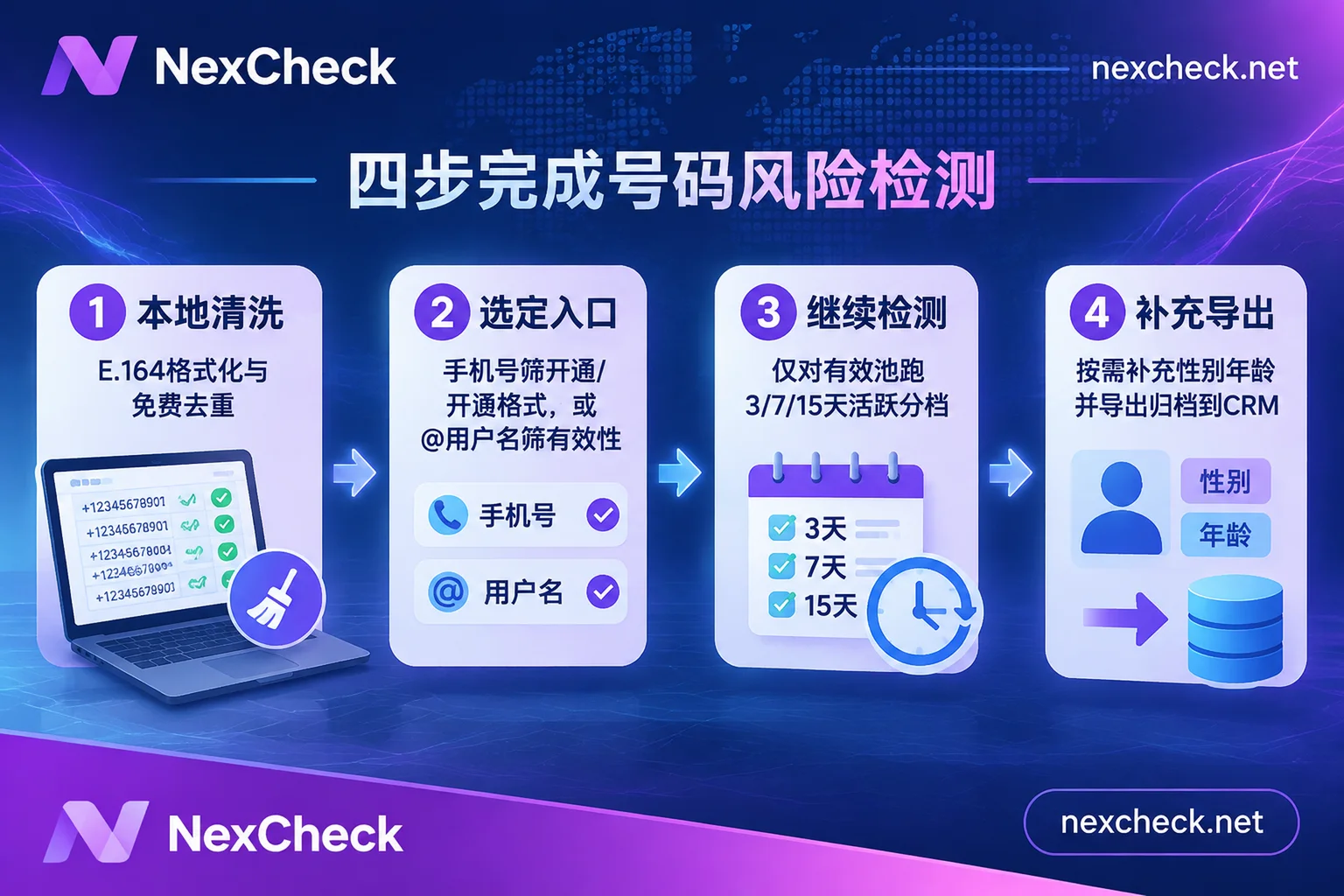
Step 1: First clean and deduplicate numbers for free in the browser (don't let duplicate numbers incur charges)
Many teams directly upload raw numbers pieced together from various spreadsheets to the screening platform, only to find thousands of duplicates, missing area codes, or garbled characters after running. When creating a batch task, the NexCheck console does not automatically deduplicate; duplicate values are charged as usual.
Before uploading, it is recommended to first open the free number cleaning tool and run it locally in the browser: it can automatically recognize separators, remove invalid characters, fill in country codes according to the default country, unify to E.164 standard format, and report the number of duplicates. Moreover, this step is entirely processed in the browser and does not create a paid task.
Pitfall reminder: When using the cleaning tool, be sure to check the "default country" option. If local numbers that should belong to Mexico or Indonesia are cleaned as default US numbers, although the format will become E.164, the country codes will all be wrong, and the entire batch will be screened incorrectly later.
Step 2: Choose the right first-round entry detection based on lead format
After cleaning, organize into a CSV, TXT, or XLSX file with only one target value per row in the first column, and note that the number of file rows must fall within the minimum and maximum limits of the selected project (for complete upload specifications, see the console batch task guide):
- If you have a phone number list: Select the corresponding country or region in NexCheck, first run activation or activation format detection, and use the lower unit cost to filter out unregistered numbers and invalid formats.
- If you have a list of
@usernameusers: No need to force conversion to phone numbers; directly select username detection in NexCheck to first confirm whether these handles currently exist and are valid.
Step 3: Use "Continue Detection" to stack 3/7/15-day activity tiers only on valid lists
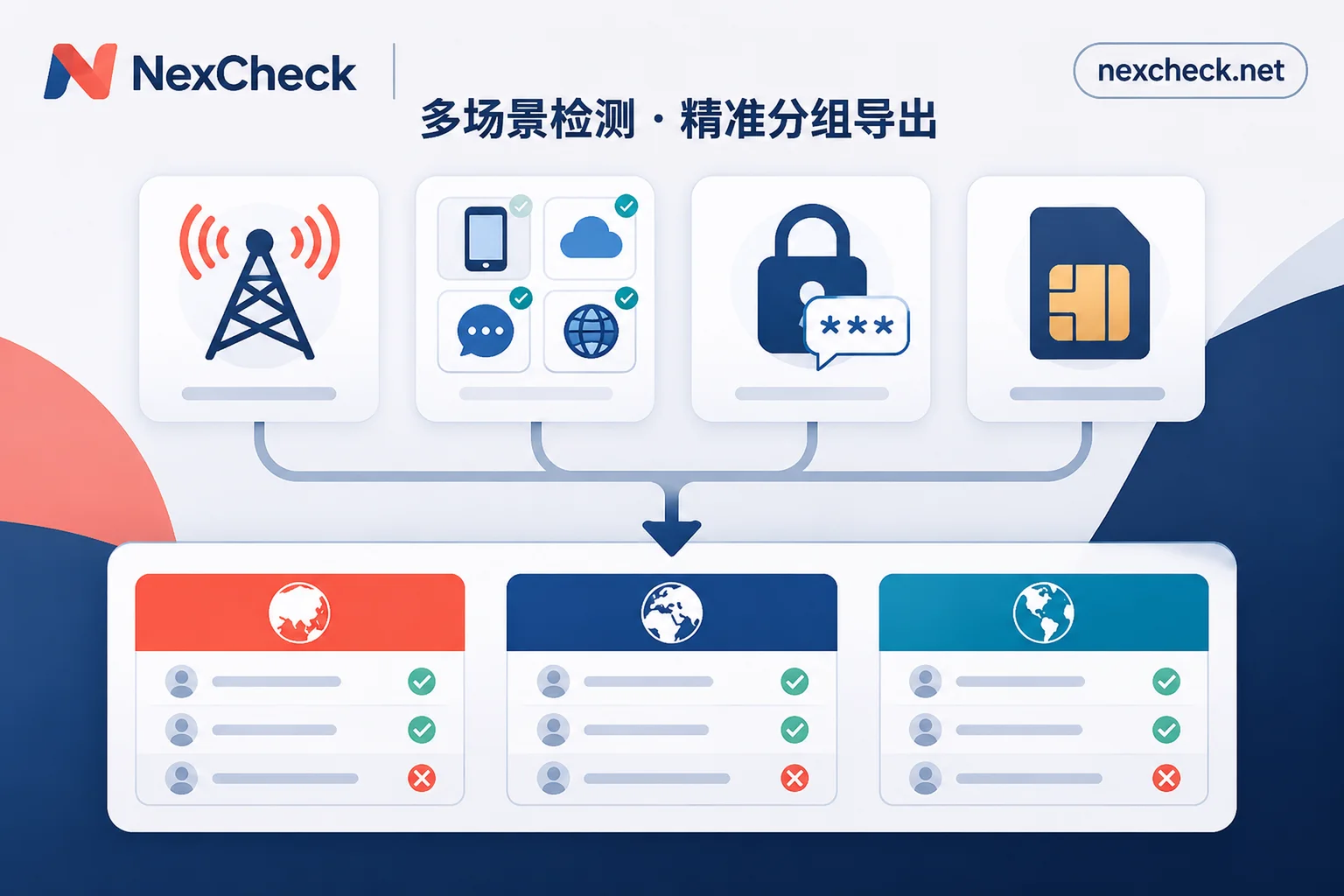
After the first round of tasks, results are returned grouped by valid and invalid. At this point, do not export and re-upload. Instead, directly use NexCheck's "Continue Detection" function in the task results to use the "passed screening results" as input for the next detection (a new task will be created and charged separately).
For phone number lists already confirmed to have activated Telegram, it is recommended to add another layer of 3/7/15-day activity tiering:
- Active within 3 days: High-frequency daily users, suitable for priority customer service follow-up or key campaign outreach;
- Active within 7–15 days: Medium-frequency users, suitable for regular community operations or product launch notifications;
- Inactive for more than 15 days or dormant accounts: Archive and downgrade separately first to avoid consuming valuable frontline outreach resources.
Step 4: Supplement gender/age as needed and export to database promptly
If your product itself is sensitive to customer attributes (such as women's beauty, maternal and infant, vertical interest communities, etc.), you can optionally perform phone number gender detection in the active valid pool, or username gender and age detection for usernames.
After obtaining grouped results, remember to download and export them to your own CRM or spreadsheet for column-based archiving as soon as possible. The NexCheck task center does not promise a fixed retention period for results; do not treat the platform backend as a permanent cloud storage for customer lists. If your team wants to integrate number screening directly into a self-built CRM or automated database process, you can register with NexCheck and then contact the consultation channel reserved on the official website to connect RESTful API and Webhook callbacks (the public user manual does not directly include API documentation for now).
4. Final self-check list before starting
Before recharging and running, quickly confirm these four common questions to basically avoid most operational rework:
- How are billing and failure refunds calculated? NexCheck adopts a prepaid model: recharge first, then deduct per item. Fees are deducted when creating a task; specific unit prices and supported countries are subject to the real-time price list in the console. If a task fails abnormally, the system will automatically refund in full.
- Why do uploaded files often error or results not match? Focus on checking three things: whether the target value is in the first column, whether the country/region is selected correctly, and whether the number of rows submitted at one time exceeds the project limit. For more detailed troubleshooting steps, refer to Telegram number screening failure cause troubleshooting order.
- How long can one screening last? Results returned by any platform only reflect the account status at the moment of query. Numbers may be deactivated and recycled, usernames may change, and accounts may be banned or abandoned later. Before major promotions or key recruitment, it is recommended to rerun a round on old databases that have been dormant for more than a few months.
- Don't treat screening as a broadcasting license: Screening only gives you a base table of "the other party still uses Telegram." What truly determines long-term account stability is still compliant acquisition of customer consent, restrained sending frequency, and providing communication content that is genuinely valuable to the recipient.