 NexCheck-筛号平台
As we enter the fourth quarter of 2026, teams engaged in overseas expansion and localization in Japan, Taiwan, and Southeast Asia are facing a new round of cost challenges for private domain outreach.
According to the latest pricing announcements from LINE Developers and local official sources, the Japan region LINE Official Account has officially adjusted the billing structure for additional messages under the Standard Plan starting October 1, 2026 (within 200,000 messages, the rate is 3 yen per message; beyond that, 2.5 yen per message); subsequently, the Taiwan region LINE Official Account also fully raised subscription fees for the medium volume (monthly fee increased from NT$800 to NT$1,000) and high volume (monthly fee increased from NT$1,200 to NT$1,400) plans starting November 1, 2026, while the free message quota remains unchanged, and high-volume additional messages are subject to tiered pricing.
Under the ironclad pricing rule of "billing by actual recipients (one broadcast to 50,000 friends consumes 50,000 message credits)," extensive blind broadcasting has become a black hole devouring marketing budgets. At the same time, more and more enterprises are trying to directly reach users via phone numbers using LINE Notification Messages (PNP, Phone Number Push) or ad custom audience matching, but frequently run into compliance and cost pitfalls such as "old numbers disconnected, carrier number recycling causing messages sent to strangers."
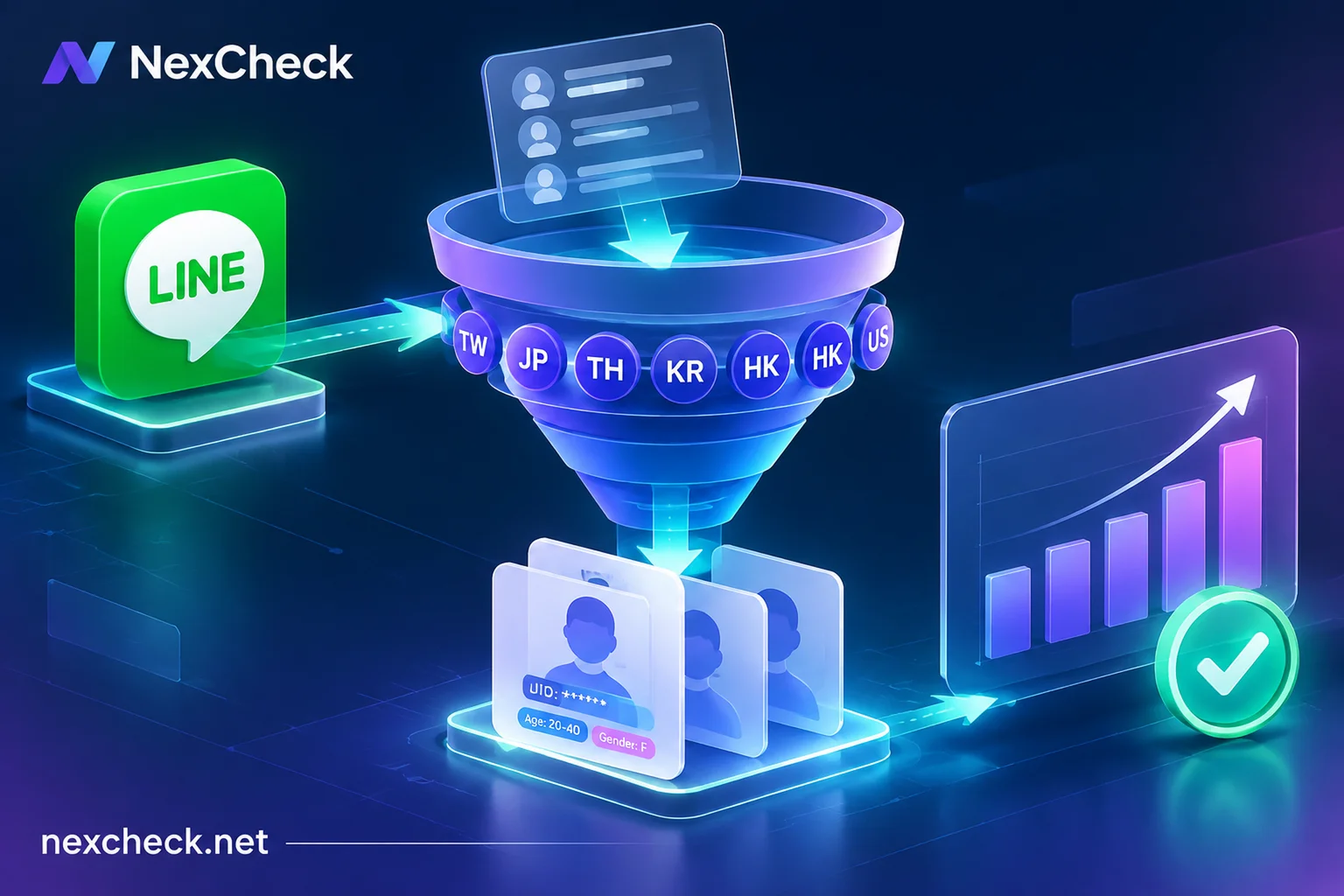
Faced with the double attack of rising per-message costs and cross-border list aging, LINE number screening is no longer simply "checking whether a number is registered," but requires completing region-specific activation verification, pre-activity filtering, and enrichment of UID and age/gender profile fields before outreach occurs. This article combines recent industry rule changes to break down a LINE list layering screening solution that balances cost control and data security.
I. Three Real Pain Points of LINE Operations in Late 2026: Why Can't We Continue "Blind Targeting"?
Many marketing and CRM teams holding tens of thousands to hundreds of thousands of historical member phone numbers (e.g., e-commerce order data, exhibition check-ins, offline store POS registrations, past campaign leads) often suffer severe losses in the following three areas during actual outreach execution:
1. High Additional Message Unit Prices for Official Accounts, Double High Invalid Outreach and Block Rates
Whether it's Japan's yen billing or Taiwan's new NT dollar rules, LINE Official is using price leverage to force enterprises from "casting a wide net" to "precision broadcasting by audience segment." If the phone numbers in the CRM database belong to users who have long abandoned their LINE accounts, or who simply don't fit the target audience profile (e.g., pushing baby product promotions to young single men), not only are expensive additional message credits wasted, but it also triggers resentment and blocks (Block) from highly active users, directly damaging the long-term asset value of the account.
2. "Number Recycling Mismatch" in PNP Notification Messages and Number Matching
In scenarios where users have not yet added the official account as a friend, enterprises often send notifications via phone number matching or import into ad platforms (such as the integrated LY Ads ecosystem) to build audience packages. However, carriers' "number recycling and reassignment" mechanisms always exist.
When an old customer's phone number that has been dormant for two years is cancelled and reassigned to a new owner, and the new owner also binds that number to LINE, if the enterprise sends messages directly based on the old customer's name and order records without verification, it will cause serious "misattribution" and customer complaint risks. Retrieving the UID, nickname, and profile picture associated with the current number through number screening and cross-checking with historical data in the business database is an important defense against mismatches.
3. "Fragmented Attribution and Rules" in Cross-Border Multi-Site Operations
LINE's underlying ecosystem, number segment rules, and pricing systems are highly independent across different countries and regions. Many cross-border teams mix leads from Taiwan (+886), Japan (+81), Thailand (+66), South Korea (+82), Hong Kong (+852), and even the United States (+1) in the same spreadsheet, without standard E.164 format conversion or region-specific batch detection, resulting in inconsistent screening results and making it impossible to precisely distribute subsequent campaigns by local language and regional plans.
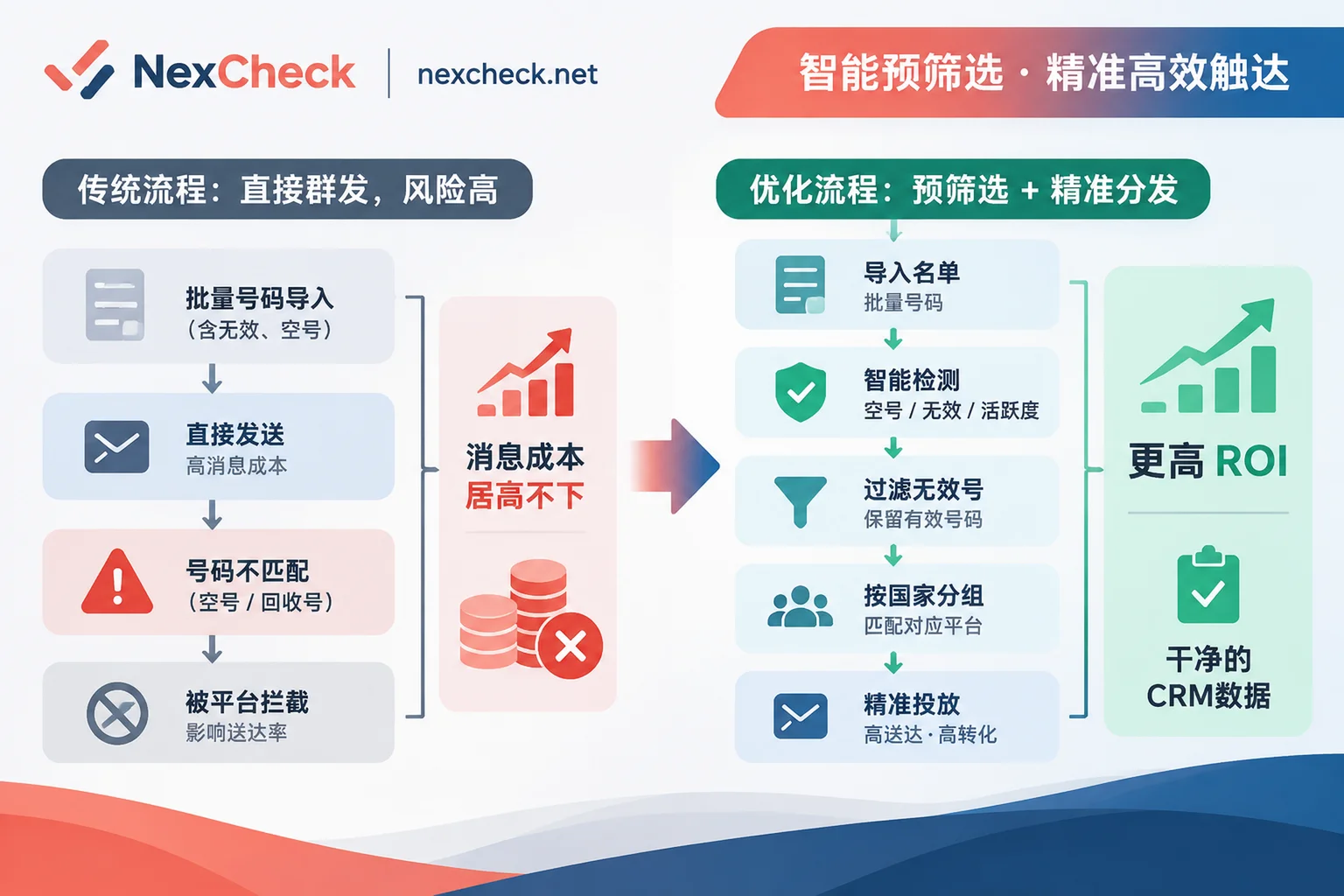
II. Solution: How to Build a Four-Step Layered LINE Number Screening Pipeline with NexCheck?
To address the above pain points, relying solely on manual searches one by one or crude single-channel scripts is not only inefficient but also highly likely to trigger platform risk control due to high-frequency abnormal operations (for risks of self-built environment scanning, refer to the internal article "How to Choose a Number Screening Platform? From QR Code Dead Number Prevention, Customer List Leak Prevention to Cross-Ecosystem Batch Verification Solutions").
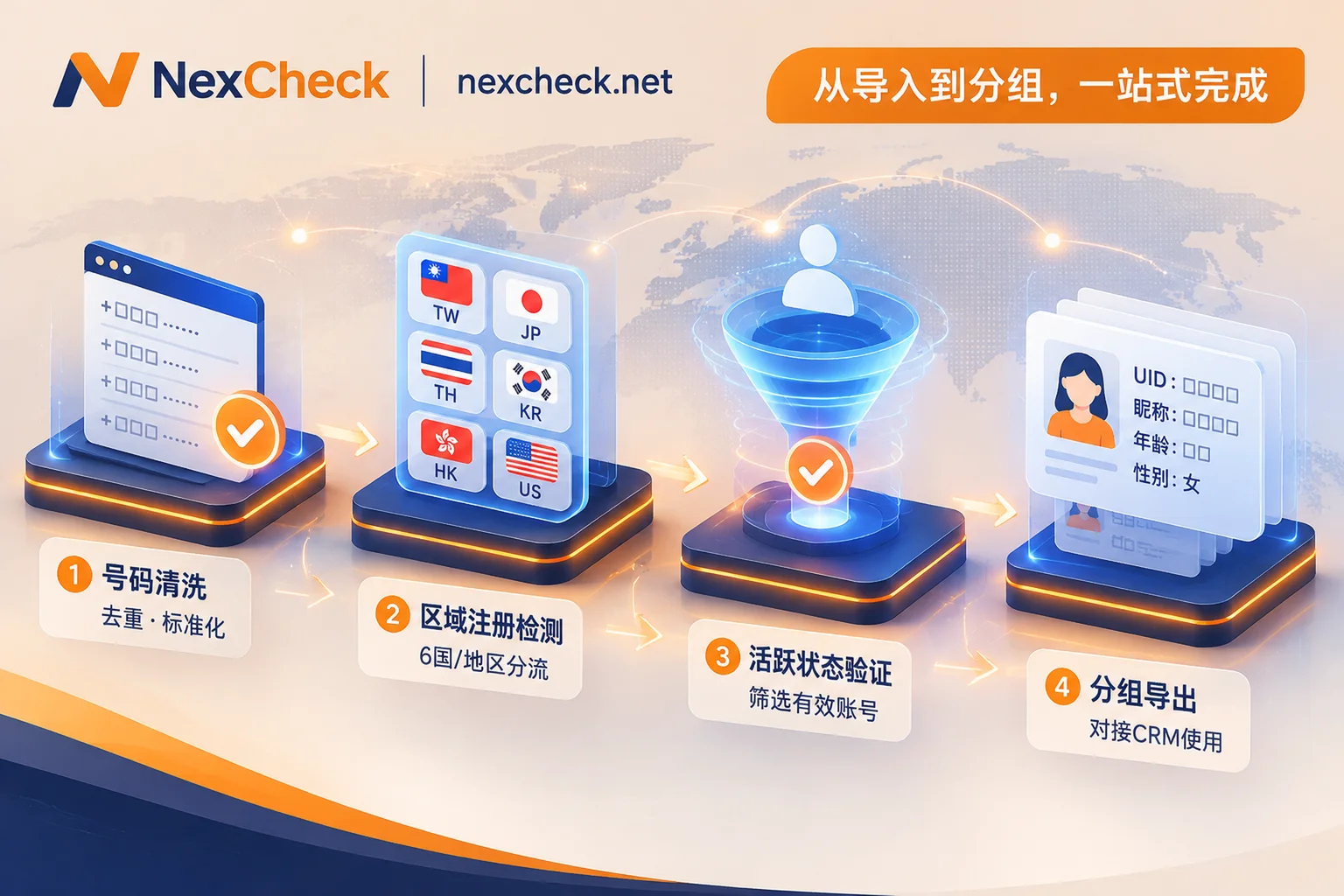
With the NexCheck LINE Number Screening Platform, operations and data teams can complete list layering and purification in the following four standard steps without logging into their own business accounts or sending any verification codes or disturbing messages to target numbers:
Step 1: Local Browser Cleaning to Eliminate Format Errors and Duplicate Billing
Before creating any paid detection task, the biggest mistake is to directly upload an original Excel sheet with hyphens, spaces, parentheses, missing country codes, or many duplicate rows. Because the console's batch tasks do not automatically deduplicate duplicate values and will still bill for them.
The correct approach is to first open the free NexCheck Number Cleaning Tool:
- Browser-local processing: Data is parsed locally in the browser, and no paid task is created directly.
- Unified E.164 conversion and deduplication: The tool automatically recognizes common separators, fills in the country code based on the selected default country, converts to standard E.164 format, removes duplicates, and clearly reports the number of valid, invalid, and duplicate entries.
- Pitfall reminder: Be sure to select the correct "default country" (e.g., Taiwan for Taiwan numbers, Japan for Japan numbers), otherwise it will generate numbers that appear compliant but have completely wrong country attribution. For details on formatting multi-country lists, you can also read "How to Clean Numbers? Complete Process from Local E.164 Formatting and Deduplication, Basic Empty Number Risk Control to Cross-Platform Batch Screening".
Step 2: Split by Six Core Regions and Perform LINE Registration (Activation) Screening
Unlike some global social media platforms, NexCheck's LINE Number Screening strictly screens registrations by region at the underlying mechanism, covering the following six core markets:
- Taiwan (TW)
- Japan (JP)
- Thailand (TH)
- South Korea (KR)
- Hong Kong (HK)
- United States (US)
When uploading CSV, TXT, or XLSX files (one target number per line in the first column), be sure to create tasks in batches by the above countries or regions (for local number formats and main platform realities in each region, refer to the NexCheck Regional Solutions Page). The first round of registration screening will directly split the list into "valid (LINE activated)" and "invalid (not activated)" groups, helping you cut off all dead numbers and unregistered numbers immediately.
Step 3: Strictly Follow the Funnel Order of "Screen Activation First, Then Check Activity"
After obtaining the valid list of "LINE activated" numbers, many teams want to further eliminate dormant numbers that haven't been online or checked messages for a long time. Here is a core rule to note: In NexCheck's LINE detection system, activity detection must be preceded by activation screening.
You don't need to download the activation results locally and manually organize and upload them again—simply click "Continue Detection" on the task results page in the console to use the valid results from the previous screening directly as input for the "LINE Activity Detection" project (the system will create a new task and bill separately; for specific operations, see the Quick Start Guide). Through the two-level funnel of "activation → activity," you can focus your limited marketing budget on real active users who are still frequently using LINE. For more cross-platform activity layering strategies, refer to "How to Do Number Activity Detection? From Delivery Threshold New Rules to Cross-Platform Activity Layering Screening Solutions".
Step 4: Extract UID, Nickname, Profile Picture, and Age/Gender to Enable Precision Segmentation
To completely solve the aforementioned "full broadcast too expensive" and "PNP phone number recycling mismatch" issues, NexCheck's LINE Number Screening Service supports returning high-value additional fields during detection:
- Basic profile fields: Can return UID, nickname, profile picture.
- Comprehensive profile items: When selecting the comprehensive detection item, in addition to the above basic information, age and gender attributes are also returned.
How to use these fields in actual business?
- Mismatch prevention verification: Compare the returned LINE nickname and gender with the customer name and title registered in the CRM database. If the original record is "Mr. Chen (45 years old)," but the returned nickname and comprehensive profile show a young female, it is highly suspected that the phone number has been recycled and reassigned by the carrier, and should be immediately intercepted from the high-sensitivity notification list and transferred to a re-verification process.
- High-ROI segmented outreach: Use the returned age and gender tags to segment the list into different audience packages before importing into the marketing system (e.g., push new cosmetics to women aged 25–34, push digital finance to men over 35), completely abandoning indiscriminate mass broadcasting of tens of thousands of messages.
- UID asset accumulation: The returned UID can be mapped and associated with the enterprise's own member CRM table, providing an anchor for subsequent multi-dimensional data analysis (for general basic operations on processes and write-back, refer to "How to Do LINE Batch Number Screening: Number Format Cleaning, Country-Specific Detection, Result Interpretation, and CRM Write-Back").
III. How to Revitalize Numbers Without LINE? Cross-Ecosystem Diversion and Basic Detection Supplement
After the first round of LINE registration screening, can the batch of numbers classified as "invalid (LINE not registered)" simply be discarded?
In real cross-border business, a user not registering LINE may simply be because their primary social habit is on other apps, or the number itself has become empty. You can use the Supported Platforms Overview and Number Basic Detection Matrix for low-cost secondary diversion:
- Underlying communication status assessment: First use basic detection to check empty numbers and power on/off status, number type, carrier identification, Apple/Android device or iOS blue mark (Note: iOS blue mark only indicates whether it is on the Apple side, not the device model or Apple account). If the number itself is already empty, completely archive and remove it from all outreach channels.
Cross-instant messaging ecosystem migration: If it is a normal active number but not registered on LINE—
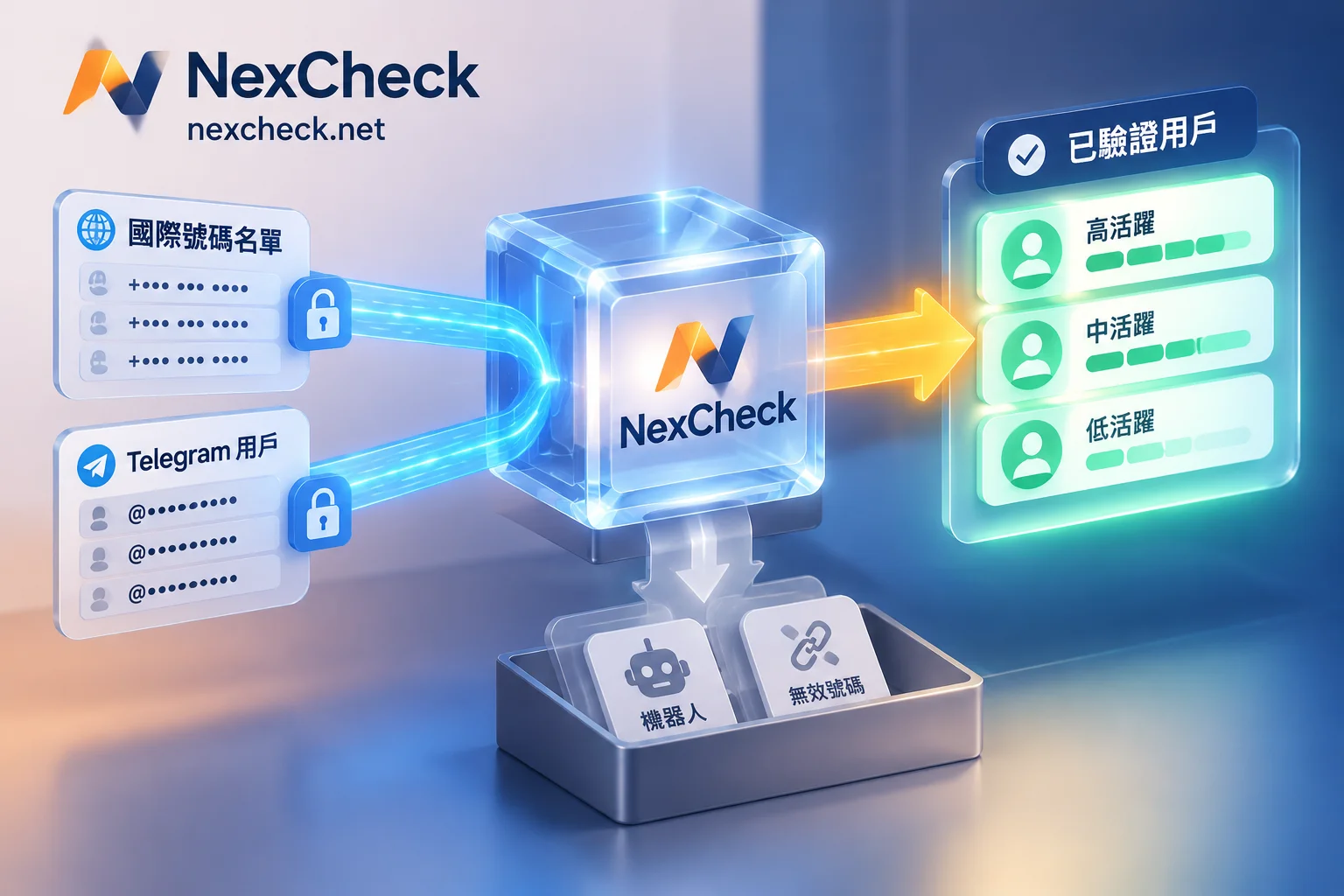
- In Hong Kong, US, or Southeast Asia markets, you can seamlessly connect to WhatsApp Number Screening (supports activation, registration time, gender/age, four-dimensional ecosystem activity, zombie and banned account detection) or Telegram Number Screening (supports 3/7/15-day activity tiers and gender detection).
- In the South Korean market, numbers not using LINE can be checked for activation status on KakaoTalk or Band.
- In social media-heavy regions, you can also verify whether the number is registered on Facebook, Instagram, or TikTok, thereby seamlessly transferring leads that were "dead" on LINE to other high-match private domains or ad audience pools.
IV. Objectively Understand Data Boundaries, API Automation, and Compliance Security Guidelines
To ensure screening results maximize effectiveness in business systems while avoiding operational deviations due to misunderstanding technical mechanisms, teams need to clarify the following objective boundaries when using NexCheck:
1. Accurately Understand Result Timeliness and Privacy Boundaries
- Point-in-time status explanation: Any detection result only reflects the platform status at the moment of query. It does not determine the real identity, purchase intent, or commercial value of the number holder, and the platform does not guarantee 100% absolute accuracy of individual results.
- Public field limitations: Profile fields that users explicitly set as private or restricted by privacy settings cannot be read.
- Timely export and archiving: The NexCheck console provides result preview and download, but does not promise retention days for results; the task center cannot be used as a long-term cloud drive or archive for the enterprise. After task completion, be sure to export results immediately and synchronize them back to the enterprise's own CRM or data warehouse.
2. CRM Automation Integration: RESTful API and Webhook Pushback
For development teams that have new registration leads daily and need to automatically complete LINE activation and profile verification at the moment of entry, NexCheck provides RESTful API, supporting batch submission, real-time query, and Webhook asynchronous pushback (for technical architecture ideas, refer to "How to Integrate Number Screening API? From CRM Real-Time Entry Interception, Asynchronous Webhook Write-Back to Cross-Platform Automated Cleaning Solutions").
It should be noted that the public User Manual does not include specific API interface documentation (does not disclose interface addresses, parameters, authentication, or callback format details). Developers who wish to integrate can first register a free NexCheck account, then directly contact official Telegram support @nextipkf for integration support.
3. Transparent Billing and Data Sovereignty Guarantee
- Prepaid and full refund on failure: The platform adopts a prepaid model, recharge first and then deduct per item (specific unit prices, minimum/maximum row counts supported by each project, and file limits are subject to the real-time price list in the console). Tasks are charged at creation; if a task fails due to system reasons, the system will automatically refund the full amount.
- Strictly adhere to data privacy bottom line: Customer-submitted lists are entirely the customer's own data assets. According to the NexCheck Privacy Policy, the platform processes data only within the necessary scope of executing detection tasks, never sells customer lists, and never uses customer data to build number databases for external sale; customers can view, export, and delete task data independently in the console at any time. At the same time, as data controllers, customers must ensure that the source of submitted numbers and subsequent outreach purposes are legal and compliant, and must not submit lists they have no right to process.
Conclusion: In a Price Increase Cycle, Use "Pre-Screening" to Earn Real Retention
Whether it's Japan's additional message rate adjustment effective in October or Taiwan's official account monthly fee increase just implemented in November, they all convey the same clear signal: the "free and extensive period" of private domain traffic is over, and refined data governance directly determines marketing profit margins.
Rather than feeling the pain of wasted credits after the broadcast bill arrives, or rushing to handle customer complaints after sending PNP notifications to the wrong person, it's better to make format cleaning, region-specific activation verification, pre-activity filtering, and UID age/gender profile enrichment part of the team's standard SOP at the moment of list import.
Visit the NexCheck official website to register an account now to view LINE Number Screening Details and Channel Description; if you have large batch custom screening or API integration needs, feel free to contact official support via Telegram @nextipkf anytime.