 NexCheck-筛号平台
Conclusion first: Number activity detection does not check the same metric; it involves two completely different calibers—one looks at the telecom carrier level 'SIM card network activity' (distinguishing real numbers, empty numbers, suspended/powered-off, silent numbers), and the other looks at 'account usage activity' within a specific application ecosystem (distinguishing recent online time slots, instant online, zombie accounts, and banned accounts). Detection results only reflect the network or platform status at the moment of query, and there is no industry guarantee of '100% absolute accuracy' or 'if detected as active, they will definitely reply'; to measure accurately without wasting money, you must choose the right caliber for your outreach channel and follow the funnel order: local deduplication cleaning → basic/activation pre-screening → activity detection.
Many operations and marketing colleagues often find a strange phenomenon after searching for tools: what is also called 'number activity detection' returns 'real number / silent number / risk number' in some cases, '3-day / 7-day / 15-day active' in others, and some mark 'valid' after checking, yet messages still go unanswered. The reason is often not that the tool is 'broken', but that the caliber is wrong or the detection order is reversed.
I. Two Types of "Number Activity Detection": Wrong Layer, All Results Wasted
Before uploading your list, first confirm which channel you will use to contact customers, because different channels have completely different activity standards:
| Comparison Dimension | Carrier / Basic Network Layer Activity | Social / IM Platform Layer Activity |
|---|---|---|
| Core Basis | Carrier signaling status codes (e.g., HLR), recent call/SMS/data usage | Recent usage traces of the target App account, online status, account abnormality flags |
| Typical Statuses | Real number, empty number, suspended/powered-off, silent number (e.g., almost no data or calls for a long time), high-risk complaint number | 3/7/15-day active tiers, active intervals, instant online, zombie/ad accounts, banned accounts |
| Applicable Scenarios | SMS mass sending, international OTP cost control, voice outbound, device/system routing | WhatsApp, Telegram, LINE, Zalo, Viber and other private domain outreach and community operations |
| Main Blind Spots | Can only prove the SIM card is still 'alive' in the communication network, does not know if the person has installed a certain App | Can only cover platforms that open corresponding query capabilities, and is limited by user privacy settings |
If you are doing overseas SMS or outbound calls, focus on empty numbers, power-on/off, and high-risk complaint numbers (to distinguish free cleaning from carrier-level empty number detection, see "Are Number Cleaning and Empty Number Detection the Same Thing?"); but if you want to import the list into WhatsApp, Telegram, or LINE for communication, only checking carrier-level 'real numbers' is not enough—a real number that makes calls every day may never have registered on Telegram, or registered WhatsApp three years ago and uninstalled it long ago.
II. Why Does It Still Not Work After Detecting "Active"? 4 Common Sources of Misjudgment
After clarifying the caliber, if you still feel 'number activity detection is inaccurate', you usually fall into one of the following four problems:
1. Treating "Instant Status" as a Permanent Label, or Trusting 100% Accuracy
Whether it's carrier-level suspension and restoration, number segment recycling, or social platform account online status and bans, data is constantly changing. Compliant detection results only represent the platform status at the moment of query, and there is a certain time window and error margin—any claim of '100% accurate, permanently valid' on the market is worth being wary of. At the same time, some users hide 'last seen', avatar, or bio in the App; single-dimension probing can easily misjudge real users with strict privacy protection as low activity. For cross-verification ideas under hidden status, see "Multi-dimensional Verification Solution for Cracking 'Last Seen Hidden' and Single-User Frequency Control Limits".
2. Mixing Field Definitions Across Platforms
Each social platform has different open boundaries and field definitions. If you don't read the instructions carefully and look at the results directly, misjudgment is easy:
- Viber: Besides activation and active intervals, there is also an indicator called 'Account Age'. It refers to how long the account has been registered (often used to filter out newly registered small or risk accounts), not the user's real age, and certainly cannot be directly equated with being active in recent days.
- Telegram: Supports querying activation by number, activation format, and 3 / 7 / 15-day active tiers (if it's
@用户名leads, you can also upload usernames for detection). But note that Telegram profiles themselves do not have gender or age fields; the usefulness of related profile results depends on the user's public name and avatar—not reading them does not mean the account is inactive. - LINE: Regional calibers are very detailed (e.g., Taiwan, Japan, Thailand, Korea, Hong Kong, US detected separately), and activity detection must first screen for activation; skipping activation screening and going directly to activity will cause errors or waste credits.
- Zalo: Vietnamese phone numbers underwent a digit-length reform in 2018, and must be in the post-reform 10-digit format. If the list still contains old 11-digit numbers, the system cannot find results at all, and it will appear as if 'all are invalid'.
- Platforms with only activation, no activity: Platforms like Facebook, Instagram, TikTok, Twitter(X), Amazon, Shopee, etc., conventional screening only provides account activation (registration) status, not recent activity time tiers like instant messaging apps.
3. Number Format Misalignment or Duplication, Causing "False Inactivity" and Duplicate Charges
Exported Excel or CSV files often contain local numbers missing country codes, formats with leading 0 (e.g., extra 0 after some country codes), or the same number existing in both +6012... and 012... formats. Format misalignment directly results in 'not activated/invalid', and duplicates cause an extra detection fee for nothing.
4. Equating "Account Activity" with "Commercial Intent"
This is the most easily overlooked point by operations teams: number activity detection answers 'has anyone been using this account recently', not 'who is the holder and do they want to buy'. Among active users, there may also be peer marketing accounts, ad accounts, or abnormal accounts about to be risk-controlled by the platform; if you have already run basic activation but not yet distinguished these abnormal accounts, it is recommended to combine with "What Are Number Detection Platforms? A Guide to 4 Types of Tool Principles and Selection" to straighten out the underlying judgment logic.
III. How to Measure Accurately and Save Money? 4-Step Funnel Detection Process
When you have a batch of tens of thousands or even hundreds of thousands of historical customer lists, exhibition leads, or ad回流 data, do not start by selecting all the most expensive deep activity items. Since unregistered, empty numbers, and duplicates often account for 20% to 50% of the raw list, the safest approach is a funnel process: 'free cleaning first, then layer-by-layer filtering'.
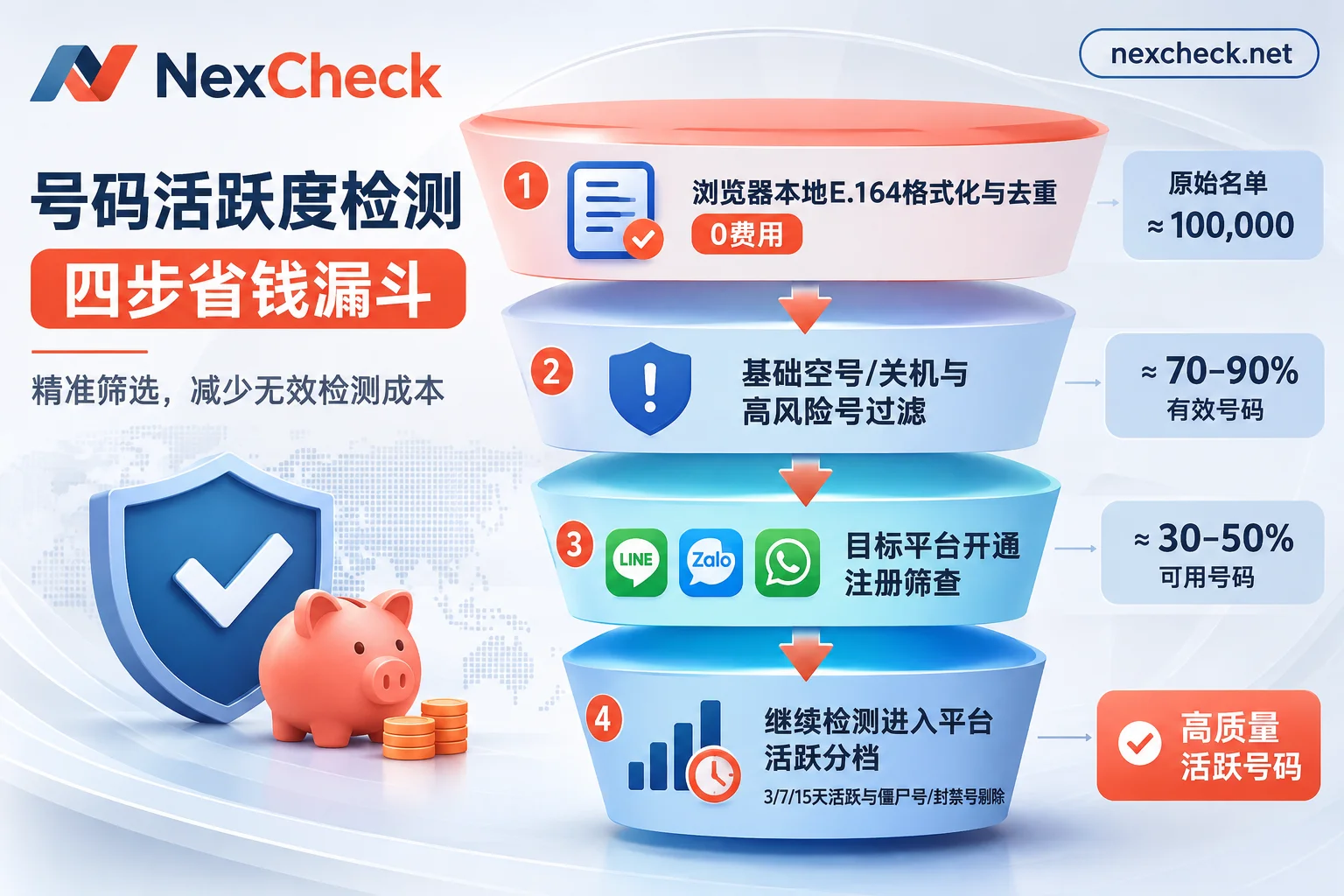
At this stage, you can use the prepaid batch screening platform NexCheck (nexcheck.net) to execute each step separately, avoiding burning high-unit-price activity detection credits on junk data:
Step 1: Clean Format and Remove Duplicates for Free in the Browser
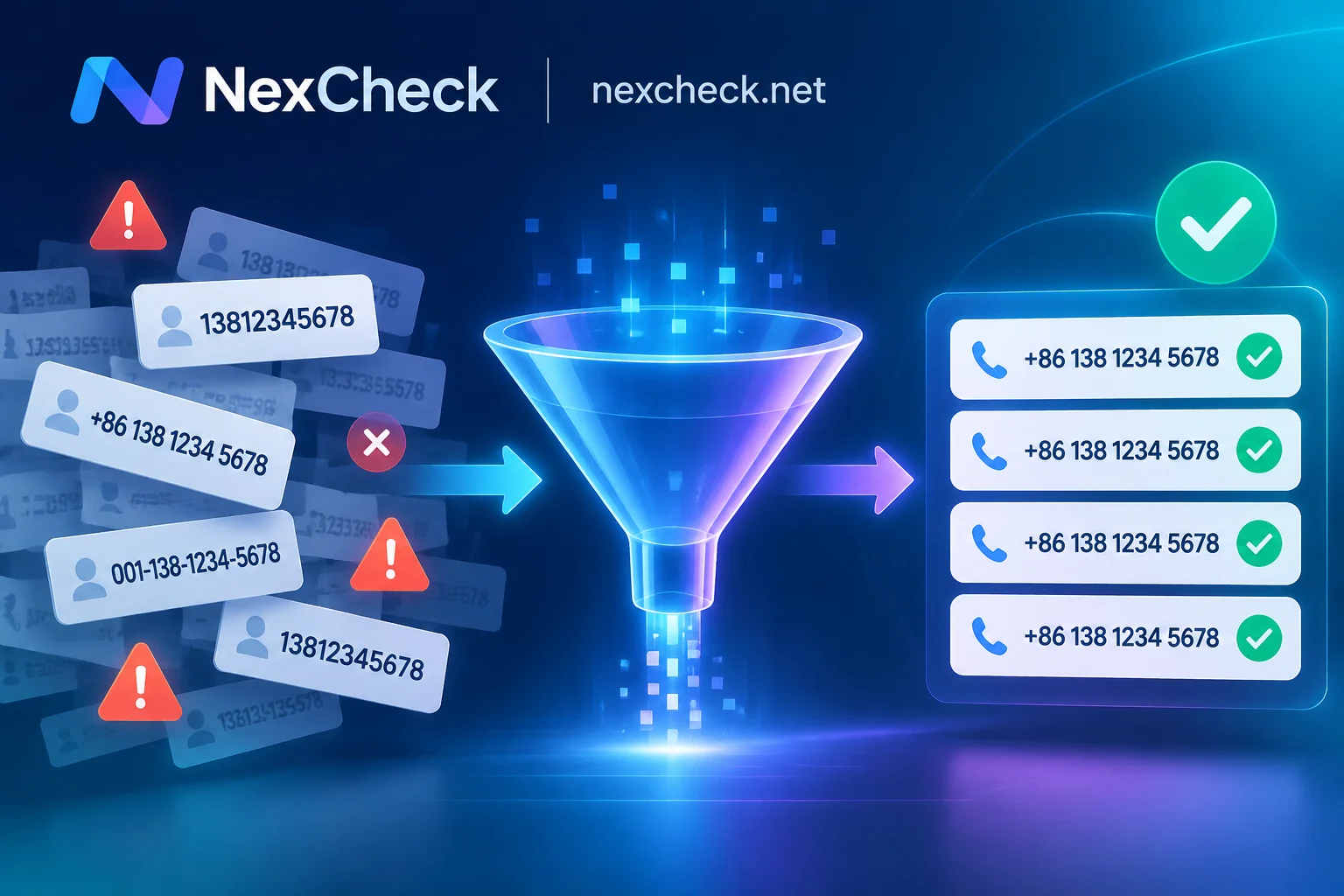
Before creating any paid task, first process CSV, TXT, or XLSX files into E.164 standard format with country codes and deduplicate. This step is necessary upfront because batch upload detection platforms usually do not automatically deduplicate on the task side; duplicate submitted numbers will still be charged per item.
You can directly use the free NexCheck Number Cleaning Tool: it processes locally in the browser, does not create paid detection tasks, can automatically identify delimiters, supplement country codes based on the selected default country, convert to E.164 format, and deduplicate, finally providing a report of valid, invalid, and duplicate counts. (Reminder: Before cleaning, be sure to check whether the default country is selected correctly; a wrong default country will result in numbers that look correctly formatted but actually belong to a completely wrong country.)
Step 2: Decide Whether to Pass the "Basic Layer" First Based on List Source
If the list comes from old CRM deposits, offline business cards, or number pools of uncertain origin, you can first run a basic number detection (e.g., empty number and power-on/off; if focusing on the US market, you can pre-filter US high-risk and complaint numbers; if the business is Apple ecosystem-heavy or requires device routing, you can use iOS blue label or Apple/Android device routing).
In addition, for ecosystems that only have number sources and no platform-specific detection items (such as Discord, OKX, Coinbase, Cash App), detection can only go as far as the basic communication layer.
Step 3: First Run the Target Platform's "Activation Detection"
Split the cleaned list by region or target channel, and first screen 'whether activated'. This step is usually cheaper than deep activity detection, can directly strip out numbers not registered on the target App, and also satisfies rules like LINE's 'must screen activation before testing activity'. If the list is for Vietnam, be sure to confirm that old 11-digit numbers have been rewritten to 10-digit format in Step 1.
Step 4: Execute "Number Activity Detection" Only on the "Activated" List
In the NexCheck console, each round of task results is returned grouped by valid and invalid. After screening out 'activated' valid results in the previous step, there is no need to manually download and re-upload; simply click 'Continue Detection' to use the filtered results as input for the next project (the system will create a new task and charge separately based on the actual number passed). Focus on checking core activity dimensions:
- WhatsApp Activity Screening: Combine four-dimensional ecosystem activity, channel-specific activity, or instant online to separate high-frequency and low-frequency active users into tiers, and optionally pair with zombie and ad account and banned account screening to first clear out dead accounts that lower account quality scores.
- Telegram Activity Screening: Directly choose 3 / 7 / 15-day active tiers to separate the high-frequency outreach pool active in the last 3 or 7 days from the low-frequency沉淀 pool active over 15 days ago (for more refined cross-platform tiering strategies, see "Screening Solutions from New Delivery Threshold Rules to Cross-Platform Activity Tiering").
- Zalo / Viber Activity Screening: Use corresponding activity interval channels (e.g., Zalo fast/stable channels, Viber activity intervals and account age) for hot/cold grading.
You can go to the Number Activity Detection overview page to directly compare supported activity fields, coverage regions, caliber differences across multiple channels, and console price lists for different platforms, and choose combinations according to your business scenarios.
IV. Before Batch Running, What 3 Implementation Details Should Be Checked?
- File format and count range must match: When submitting batch tasks in the console, CSV, TXT, or XLSX are supported, with only one target value per line in the first column; number items need to correspond to the selected country or region; file size, column count, and row count all have limits, and the row count must fall within the minimum and maximum range of the selected project. If a technical team needs to automatically integrate screening actions into CRM entry, NexCheck also supports RESTful API (including batch submission, real-time query, and Webhook callback); after registration, contact customer service for integration guidance.
- Billing mechanism and result retention: NexCheck adopts a prepaid model: recharge first, then deduct per item; charges are deducted when creating a task, and if the task fails, a full refund is automatically issued; the platform homepage provides a free trial entry upon registration, and actual paid task creation is subject to the console account balance and real-time price list. In addition, after exporting results, please archive them to local or CRM in time; the platform task center does not promise long-term retention days and should not be used as a long-term data warehouse.
- Compliance and tool boundaries: As the data controller, the enterprise must ensure the source and subsequent use of uploaded numbers are legal and compliant, and must not submit numbers it has no right to process; the detection platform only processes data within the scope of executing detection tasks, does not sell customer lists, and does not build databases for external sale. As for message sending, mass outreach, and follow-up actions after screening, these are not within the detection platform's functional scope and need to be arranged separately with compliant outreach and customer service systems.
Summary in one sentence: For number activity detection, first distinguish 'card on network' vs 'person using App', then proceed in the order of 'local E.164 cleaning and deduplication → basic/activation filtering → activity tiering and anomaly removal', so you can both understand true activity and spend every detection budget on people who can be reached.